
Per-engine columns
Each tracked prompt row includes engine columns such as ChatGPT and Claude alongside Best.
The same buyer question can produce different brand placement on each AI engine. Rankings compares your brand’s first-mention position across those answers.
Use the same tracked questions when comparing engines. Open each prompt’s captured answers to inspect first-mention position alongside recommendations and citations.
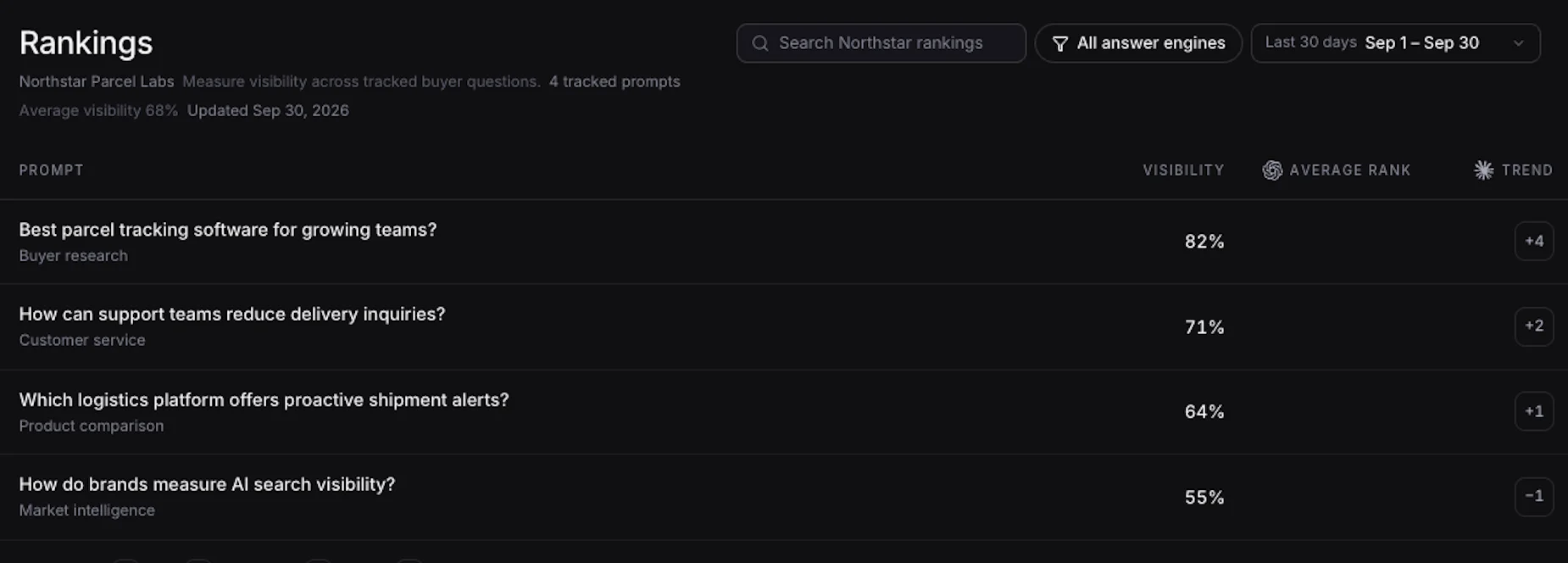
Each tracked prompt row includes engine columns such as ChatGPT and Claude alongside Best.
Positions use Top pick, Runner-up, Mentioned (third brand named), Listed, or Not mentioned to show first-mention order or absence. Check Recommendation separately to see whether an answer recommends your brand.
Focus the table on your primary brand or a tracked competitor to compare visibility prompt by prompt.
Filter rows with Search prompts and sort column headers to prioritize gaps or strengths.
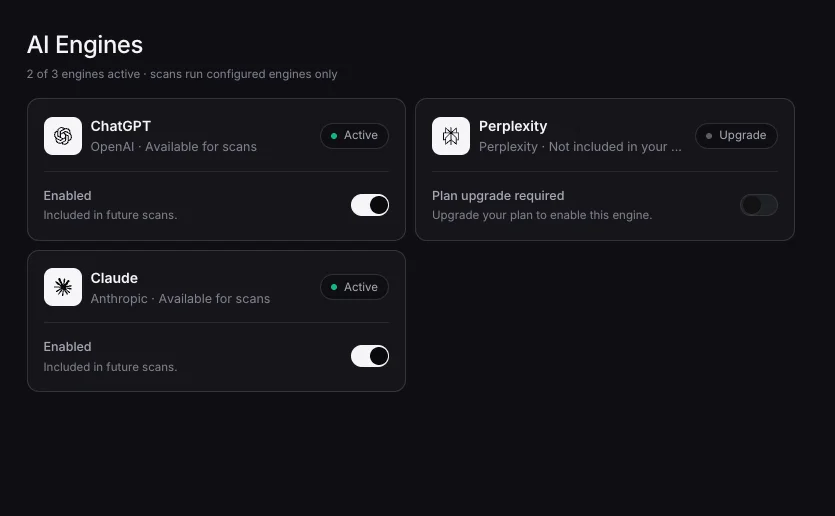
On AI Engines, each card shows Enabled, Disabled, or Locked. An engine must be on your plan and enabled for the brand before it can be included in collection.
Review Enabled, Disabled, and Locked states in AI Engines before interpreting a missing answer.
Each row is one tracked prompt. Columns include the prompt text, your best position across engines, and first-mention positions per AI engine. Lower numbers mean an earlier first mention; a dash in a measured result means your brand was not mentioned.
1 is Top pick, 2 is Runner-up, 3 is Mentioned (the third brand named), and 4+ is Listed. These labels describe first-mention position. A brand can appear first without being recommended, so review Recommendation separately. A dash means the brand was omitted from a measured answer. A blank means there is no measured ranking yet.
A prompt can rank differently on each engine. The Best column highlights your strongest position anywhere, while engine columns reveal uneven coverage.
Yes. Select a tracked competitor in Rankings to see its first-mention position for the active brand’s prompts across AI engines.
Use Search prompts to filter by prompt text and column header sort controls to surface weakest or strongest positions first.
Enabled means the engine is selected for the brand and can be included in future collection. Disabled means your plan includes the engine and you can enable it in brand settings. Locked means your plan excludes the engine. An engine must be both available on your plan and enabled for that brand to collect answers.