Live call context
View the agent, direction, phone display name, contact name and number, routing category, linked ticket, and duration for each active call.
 AI Contact Center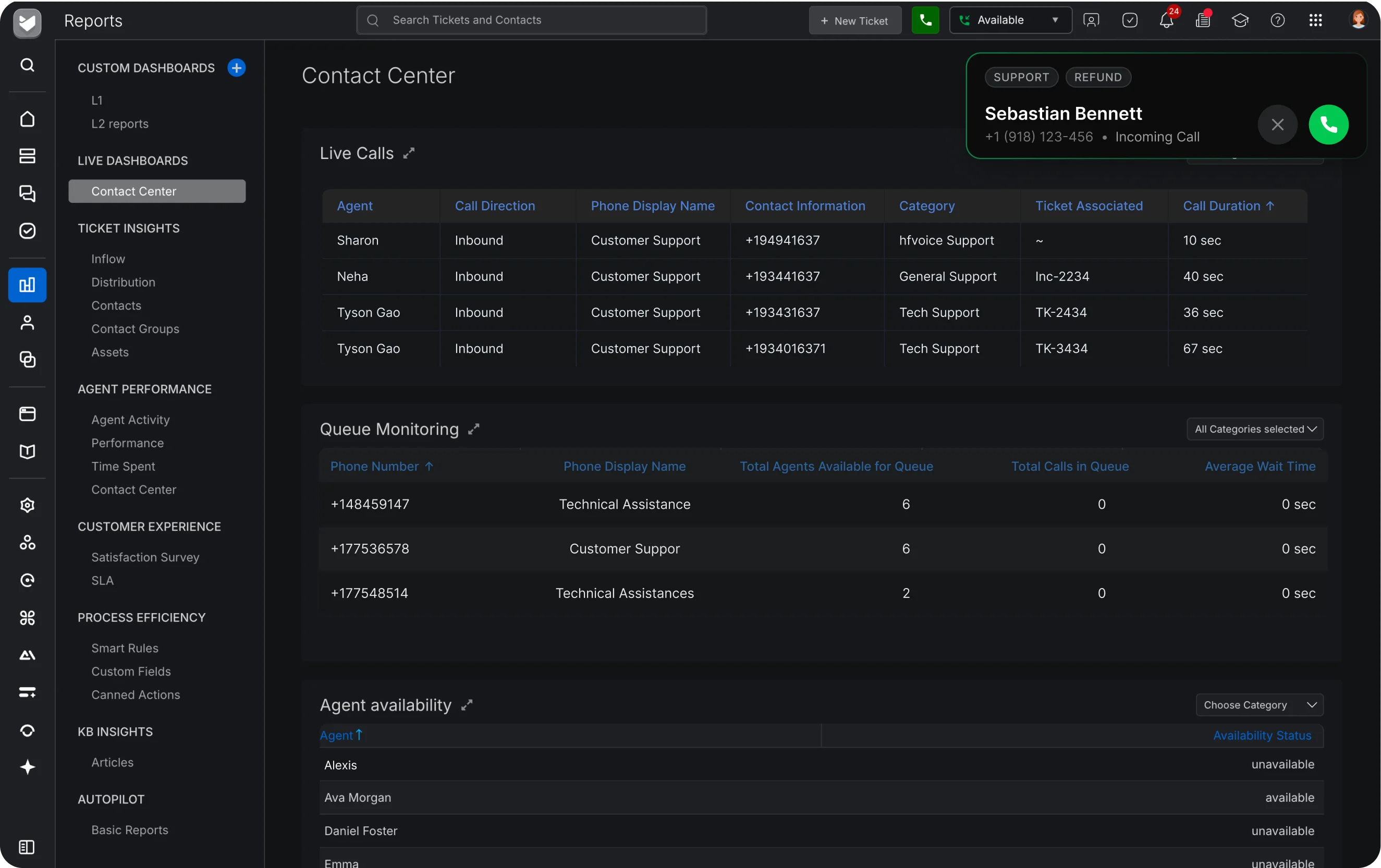
View the agent, direction, phone display name, contact name and number, routing category, linked ticket, and duration for each active call.
Select a queue to see calls waiting, available agents, average wait time, and longest wait time.
View Available, Unavailable, or Busy status and filter by category. Authorized supervisors can change availability except while an agent is on a call.
Plot any two available call metrics against time for a single phone line or across all lines.
Focus on one or more routing categories across calls, metrics, queues, and availability. Selections persist through auto-refresh.
Start Listen from an active call, then use Whisper or Barge In when the conversation needs supervisor help.
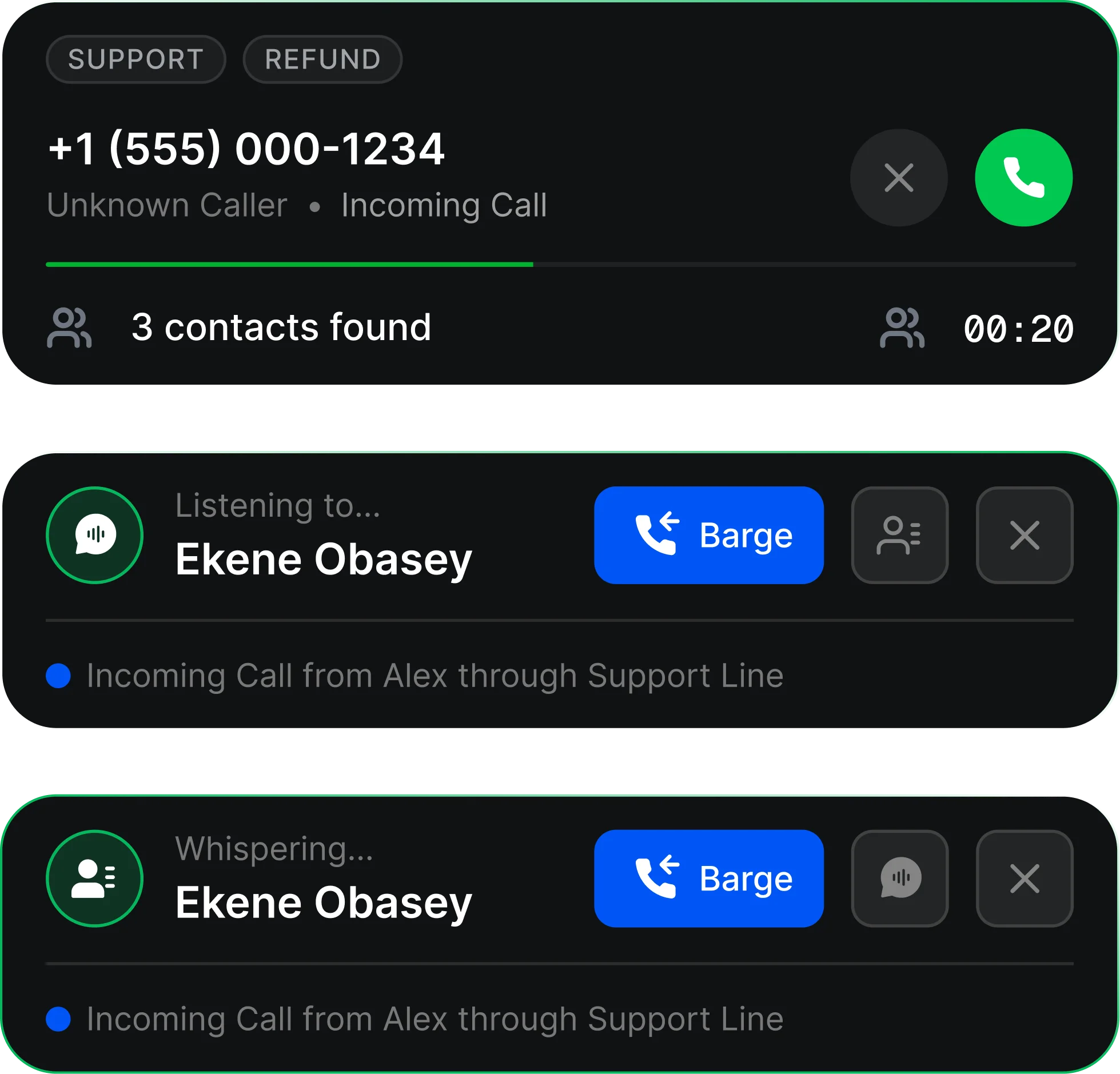
A supervisor opens the Live Dashboard. Live Calls shows every call in progress. Queue Monitoring shows the state of the selected queue. Agent Availability shows who can take calls. The supervisor filters by category to focus on a team or department, and uses Live Call Metrics to compare any two metrics over time. When something needs attention, the supervisor can act: adjust an agent's availability, or Listen to a live call and coach or join it.
Live calls, queue status, agent availability, and a chart of live call metrics.
The agent, call direction, phone display name, contact name and number, routing category, linked ticket, and call duration.
For the queue you select: total calls waiting, agents available, average wait time, and longest wait time.
Yes. Use the Category filter in any section to view one or more routing categories. Your selections persist when the dashboard refreshes.
Supervisors with the right access can. They can make an unavailable agent available and an available agent unavailable, but not change the status of an agent who is on a call.
Yes. Live Call Metrics plots any two metrics on one chart against time, for one phone line or all lines.
Yes. From Live Calls, supervisors can Listen, then move to Whisper or Barge.