Volume and performance
Separate demand from handling outcomes. Call events are counted once across Inbound, Outbound, Callback Request, and Voicemail volume tiles.
 AI Contact Center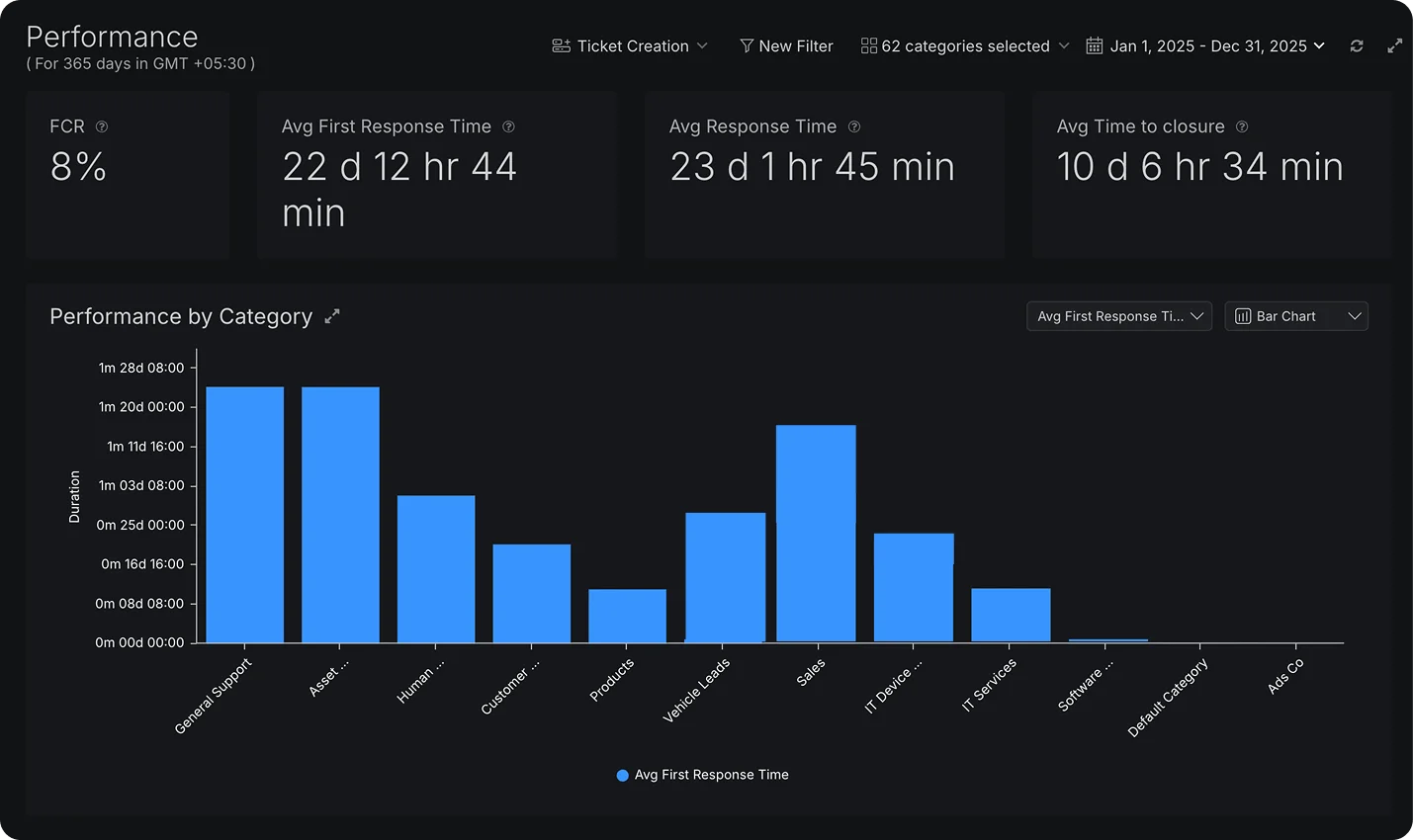
Separate demand from handling outcomes. Call events are counted once across Inbound, Outbound, Callback Request, and Voicemail volume tiles.
Filter by phone line and one or more categories to focus on the teams and channels you want to review.
Review inbound calls offered, accepted, declined, not answered, and acceptance rate by agent, plus outbound calls made.
See missed-call reasons such as no answer, queue limits, or business hours. Identify abandonment in ringing, IVR, queue, voicemail, or hold.
Group answered inbound calls by queue wait time and review the count and percentage in each bucket.
Review callback requests alongside completion, attempted, and fulfilment rates to understand follow-through.
Export one row per call or one row per participant entry. Phone, category, and date filters carry through, with up to 30 days in each export.
Exports show Good, Bad, or No Data quality ratings and detected issues such as jitter, packet loss, latency, or silence.
Open Reports and choose a phone line and categories. Read the volume tiles to see how much came in, and the performance tiles to see how well it was handled. Drill into agent summaries and the inbound and outbound deep dives to see where calls were missed or abandoned. For deeper analysis, download the Call Report or Call Leg Report as a CSV.
Historical call activity and performance: inbound and outbound trends, agent performance, and queue behavior.
Every call event is counted exactly once, as Inbound, Outbound, Callback Request, or Voicemail.
Yes, by phone line and by one or more categories.
Yes. Missed calls are split into Ring No Answer, Dropped After Queue Wait Time, Queue Full and Outside Business Hours. Abandoned calls are split into Abandoned in Ringing, IVR, Queue, Voicemail and on Hold.
Yes. The agent-wise inbound summary shows calls offered, accepted, declined, not answered and acceptance rate. The outbound summary shows calls made.
Yes. The Call Report (one row per call) and the Call Leg Report (one row per participant entry) download as CSV files.
Up to 30 days at a time.
Yes. It shows Callback Requests, Callback Completion Rate, Callback Attempted Rate, and Callback Fulfilment Rate.