





















Integrate GitBook with HappyFox Help Desk

What This Means For Your Teams
Support Team Leaders
Ensuring agents access current documentation for faster issue resolution.
Technical Writers
Maintaining documentation in GitBook while automatically updating support resources.
IT Managers
Centralizing knowledge management across documentation and support platforms.
Product Managers
Bridging product documentation with customer support operations.


Connect and Sync GitBook Content
- Select multiple GitBook organizations for synchronization
- Fetch collections, sub-collections, spaces, and pages automatically
- Create corresponding sections and subsections in help desk
- Map GitBook pages and subpages as help desk articles

Automate Content Updates and Management
- Schedule automatic daily synchronization from GitBook
- Remove deleted GitBook articles from help desk automatically
- Sync only published spaces with public visibility
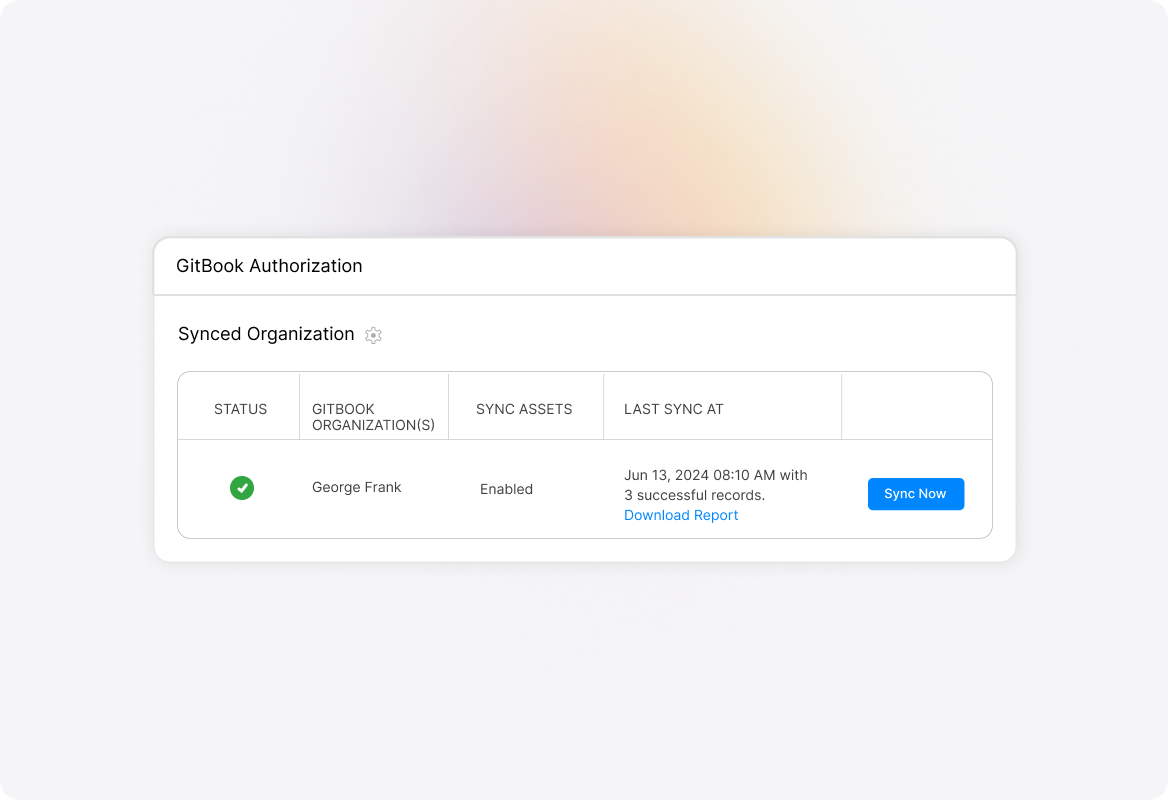
- Trigger manual syncs when immediate updates needed
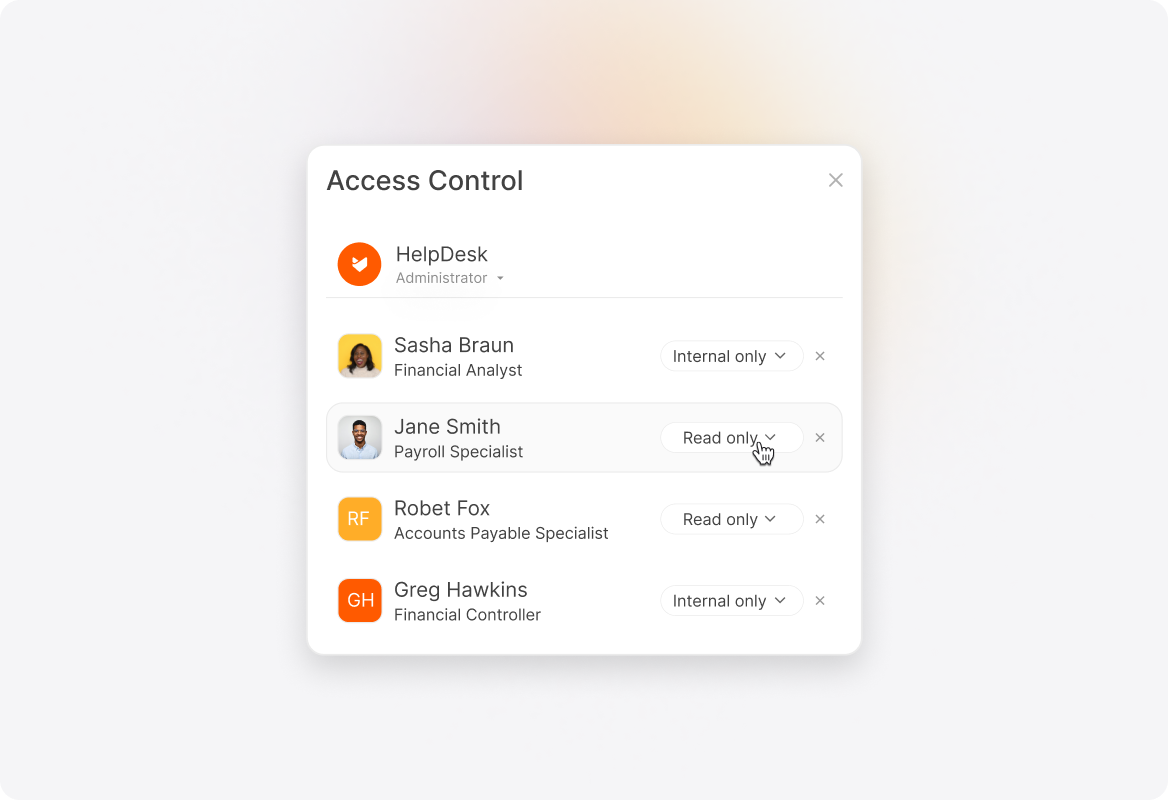
Maintain Organization and Access Control
- Create internal-only, read-only articles in help desk
- Associate sections with help desk categories for organization
- Display GitBook icons next to synced articles
- Redirect agents to original GitBook pages when needed
Track Synchronization Performance
- View detailed sync reports with article titles and IDs
- Monitor sync status and completion timestamps
- Download comprehensive reports showing sync results
- Track created and updated article counts
See More Integrations
Connect Your Tools With HappyFox
A happy roof that can accommodate all your favorite business apps.

USE CASES
FOR BUSINESSES
FOR INDUSTRIES
For Teams


Copyright ©2026 HappyFox Inc. All rights reserved.