
Trusted by Industry-Leading Companies




The problem
“You've set up custom fields to capture critical ticket data—but without proper reporting, that valuable information sits unused. Which custom field values are trending? How are tickets distributed across different categories? Without clear visibility, you're missing opportunities to spot patterns, optimize workflows, and improve team performance.”
Custom Fields Report enables you to view all statistics related to custom field usage in your help desk. With a quick glance, identify how often certain ticket or contact custom fields are being used and which values are most common.
What custom fields reports make possible.
- Custom Fields at Once
- 20
- Data Distribution
- Real-time
- Trend Visibility
- 100%
Select up to 20 custom fields for visualization—get a comprehensive view of your data in one report.
See the real-time distribution of custom field values for tickets created during any specified time frame.
Track how custom field values change over time with timeline-based visualizations and heat maps.
Static Widgets for Real-Time Distribution
Each selected custom field gets its own static widget showing real-time distribution of values. Drag and reorder widgets to match your workflow—new widgets automatically appear at the bottom as you add more fields.
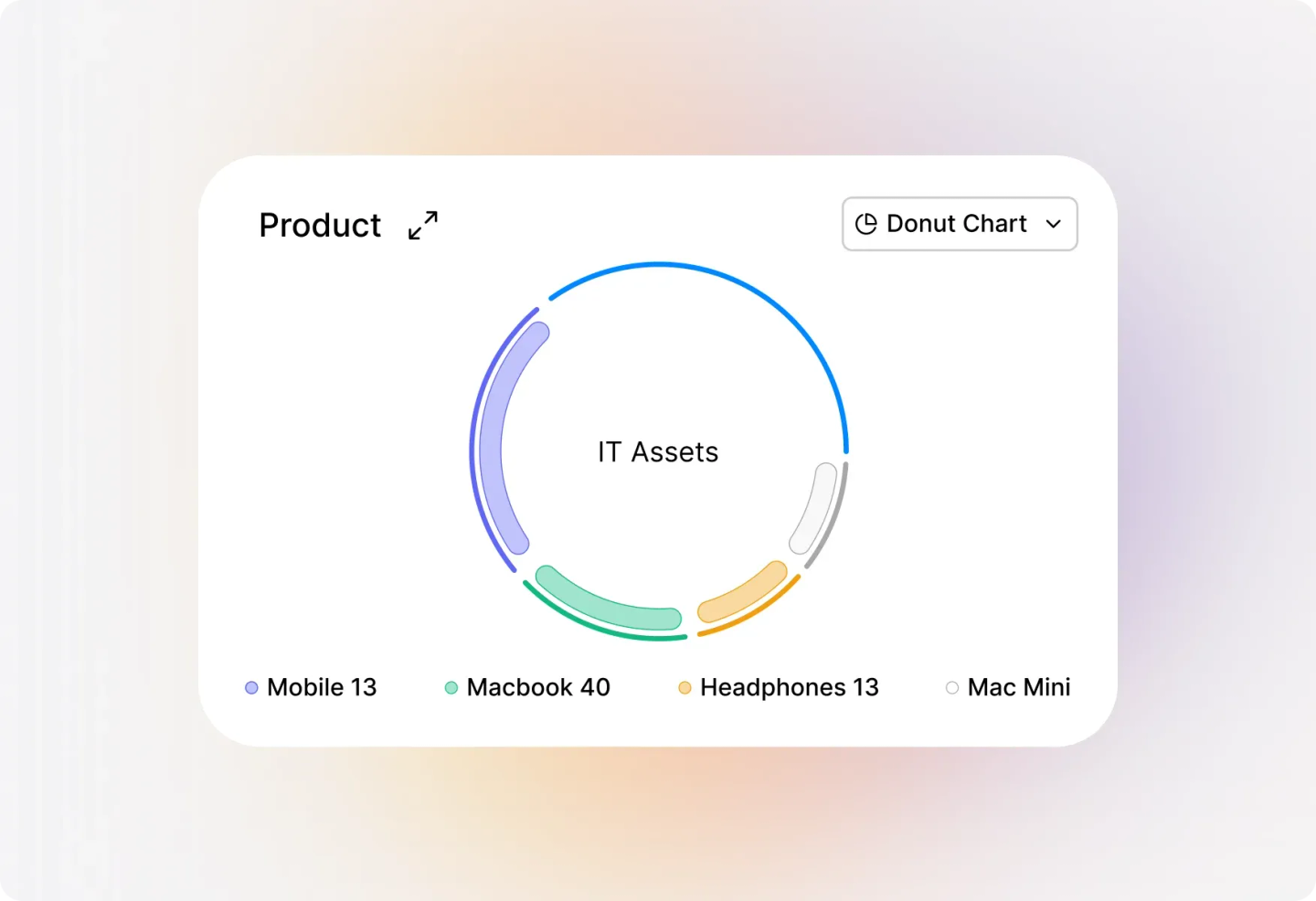
Select and Visualize Up to 20 Custom Fields
Choose the exact custom fields you want to analyze through the intuitive custom field selector. With support for up to 20 fields at once and a handy search bar for large field sets, you'll find what you need instantly.
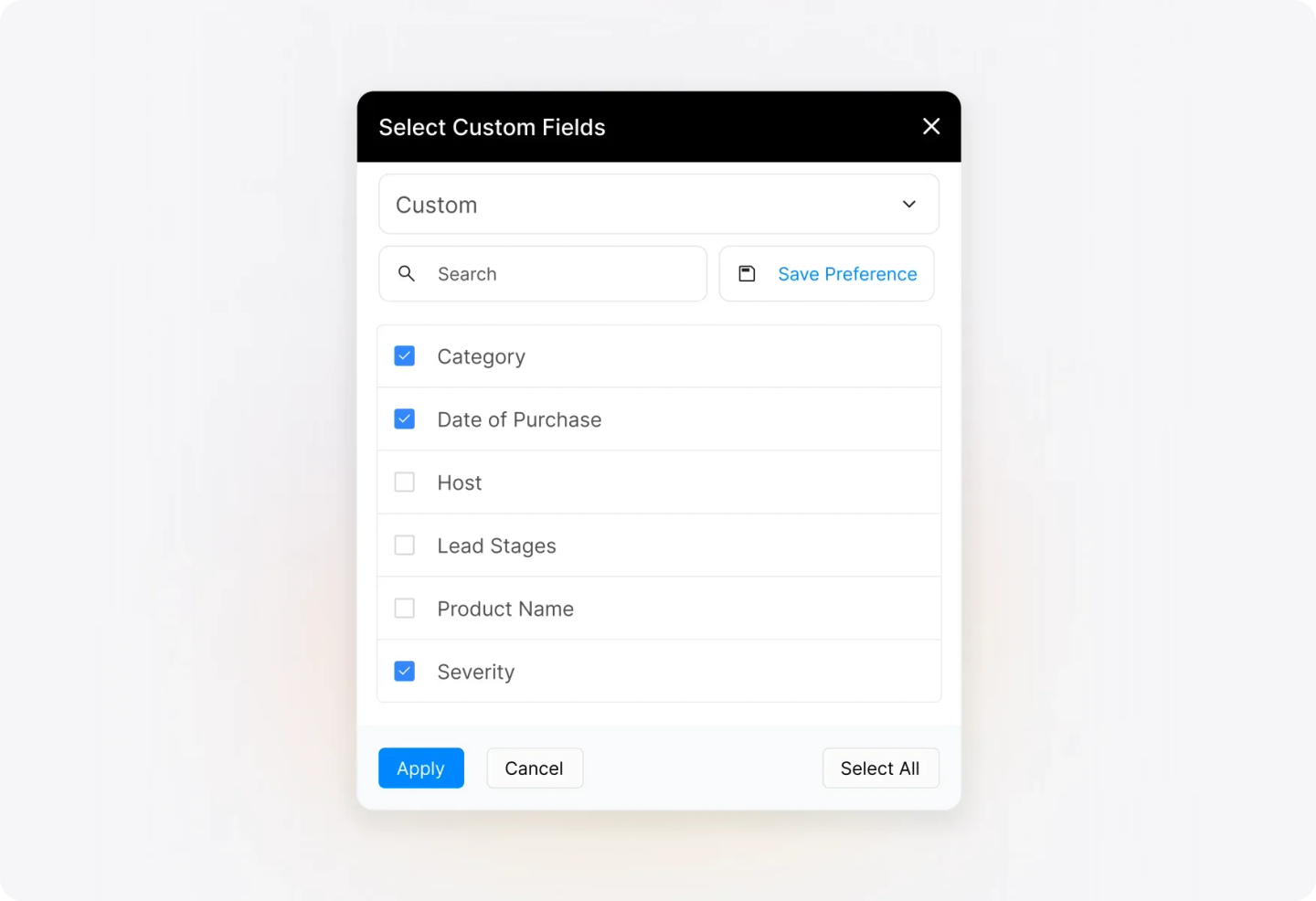
Save Preferences for Frequently Monitored Fields
Stop recreating the same reports over and over. Save your current selection of custom fields as a "Saved Preference" and access it anytime with a single click. Perfect for teams who regularly monitor specific groups of custom fields.
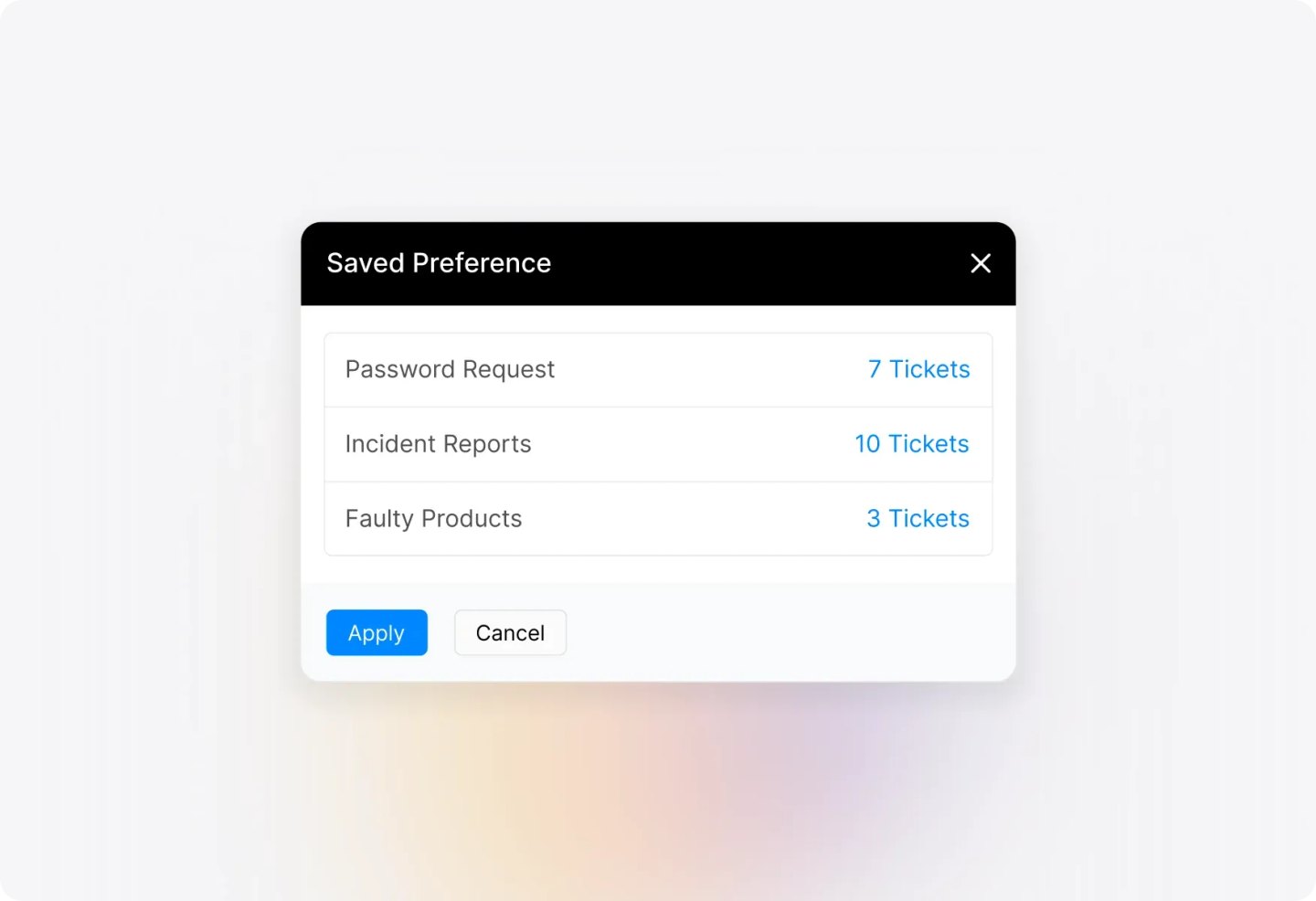
Visualize Trends with Timeline Widgets
Track how custom field values change over time with the always-present timeline widget. Choose from time-series line charts, heat maps, or tables to visualize ticket distribution across any time period.
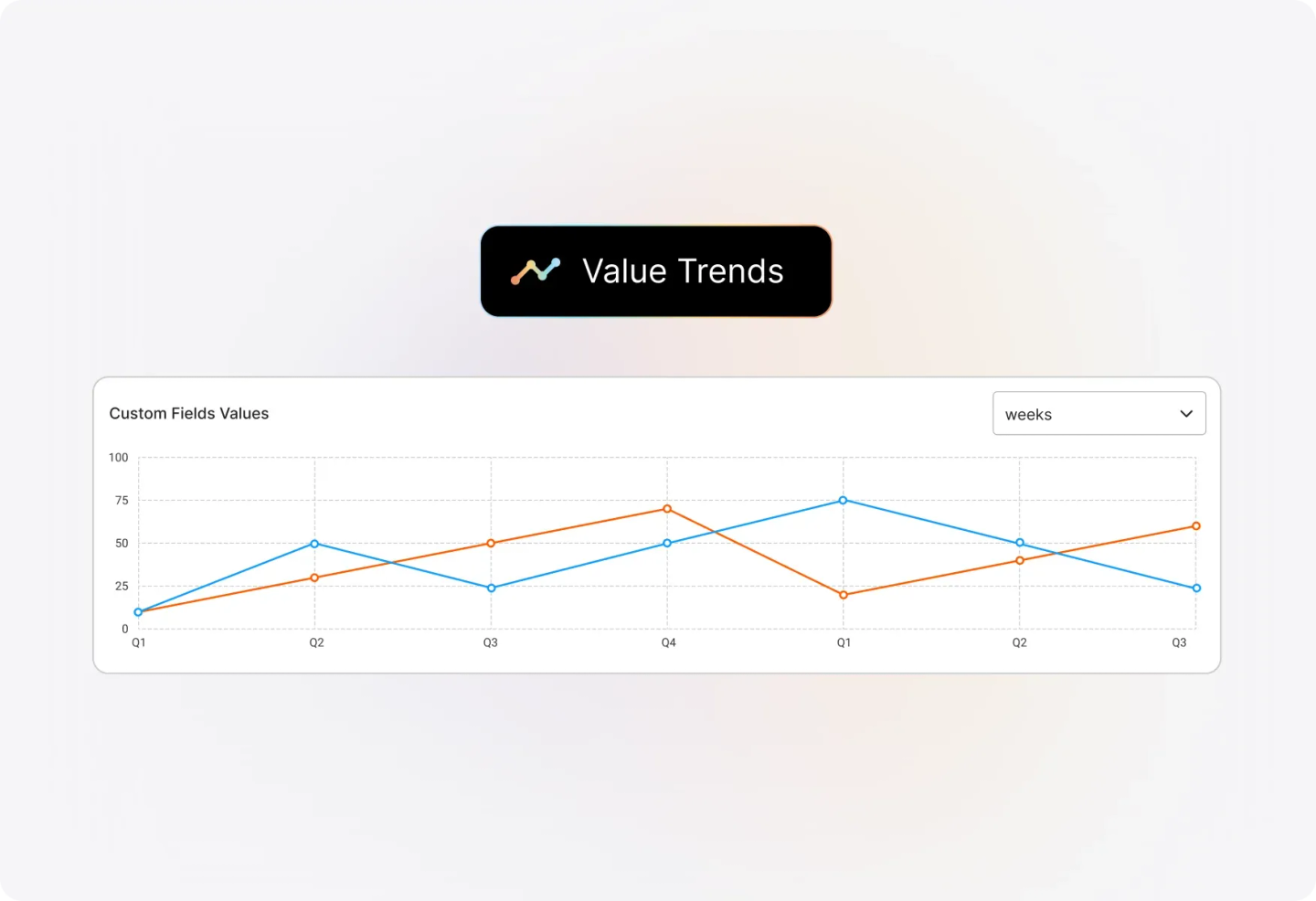
Understand Parent-Child Field Relationships
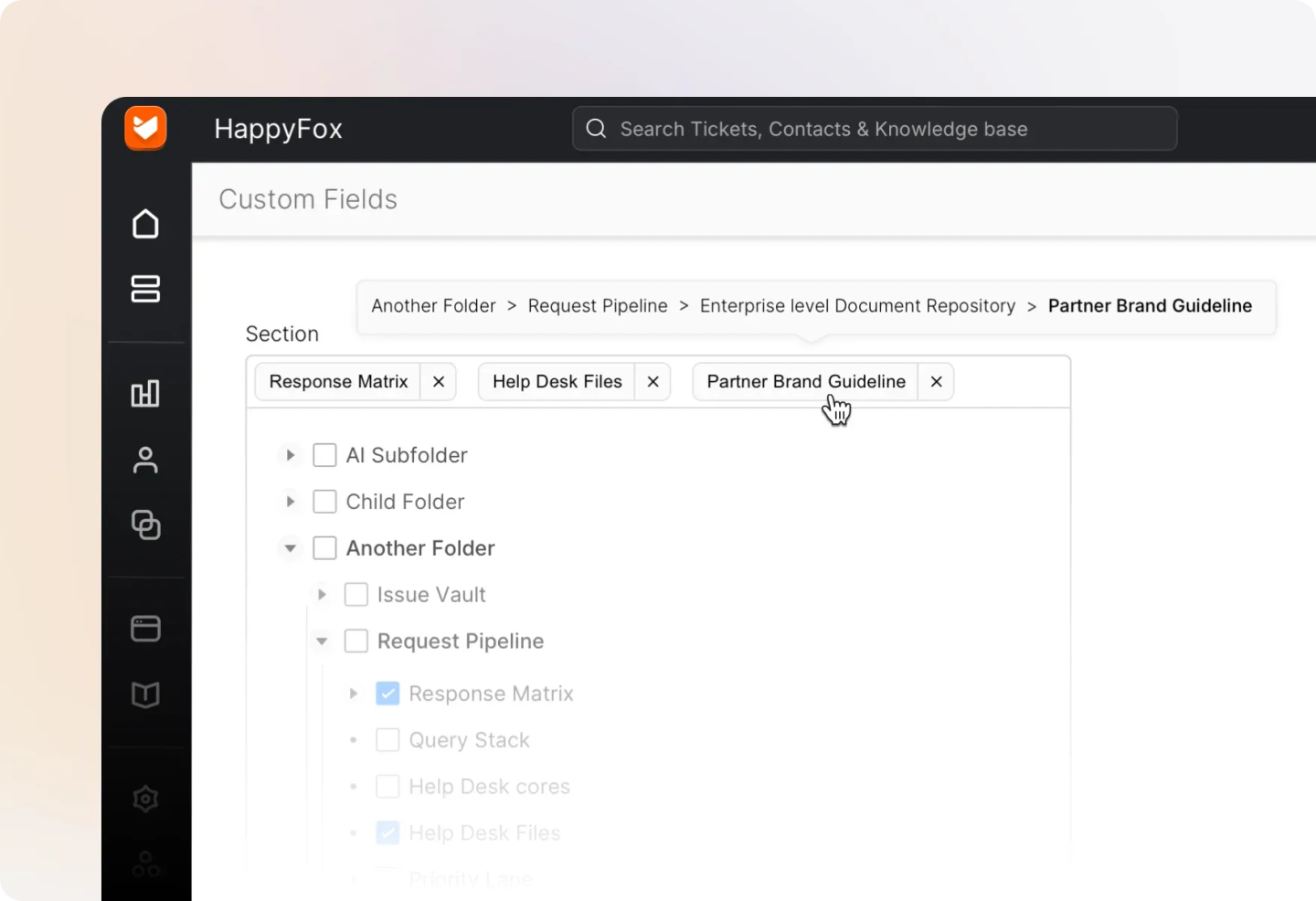
Working with hierarchical custom fields? Easily identify parent-child relationships right in the selector. Hover over any field to see its immediate parent and chosen value, keeping complex field structures crystal clear.
Frequently asked questions.
How do I access the Custom Fields Report?
Navigate to Reports >> Custom Fields in your HappyFox help desk. Note that visibility is governed by the "View Custom Field Report" permission.
How many custom fields can I visualize at once?
You can select up to 20 custom fields for visualization at a time. Use the search bar to quickly find specific fields if you have a large set.
Can I save my custom field selections for later?
Yes! Save your current selection as a "Saved Preference" by clicking "Save Preference" and giving it a name. Access saved preferences anytime from the dropdown menu.
What types of visualizations are available?
The report includes a timeline widget for time-series line charts, heat maps, or tables, plus static widgets for each selected custom field showing real-time distribution.
How do I filter the report by time period?
Define the time period for your report, and custom field statistics will populate based on tickets created during that specified timeframe.