
Trusted by Industry-Leading Companies




The problem
“When multiple agents respond to the same ticket without knowing what the other is doing, customers get conflicting answers and your team looks disorganized. These collisions waste time, create confusion, and damage trust.”
HappyFox Agent Collision Detection prevents this by keeping everyone on the same page in real time.
What agent collision detection makes possible.
- Collision Prevention
- 100%
- Agent Visibility
- Real-Time
- Plan Availability
- Pro+
Automatic warnings stop duplicate replies before they're sent
See who's viewing and typing on any ticket instantly
Available on Pro and above plans
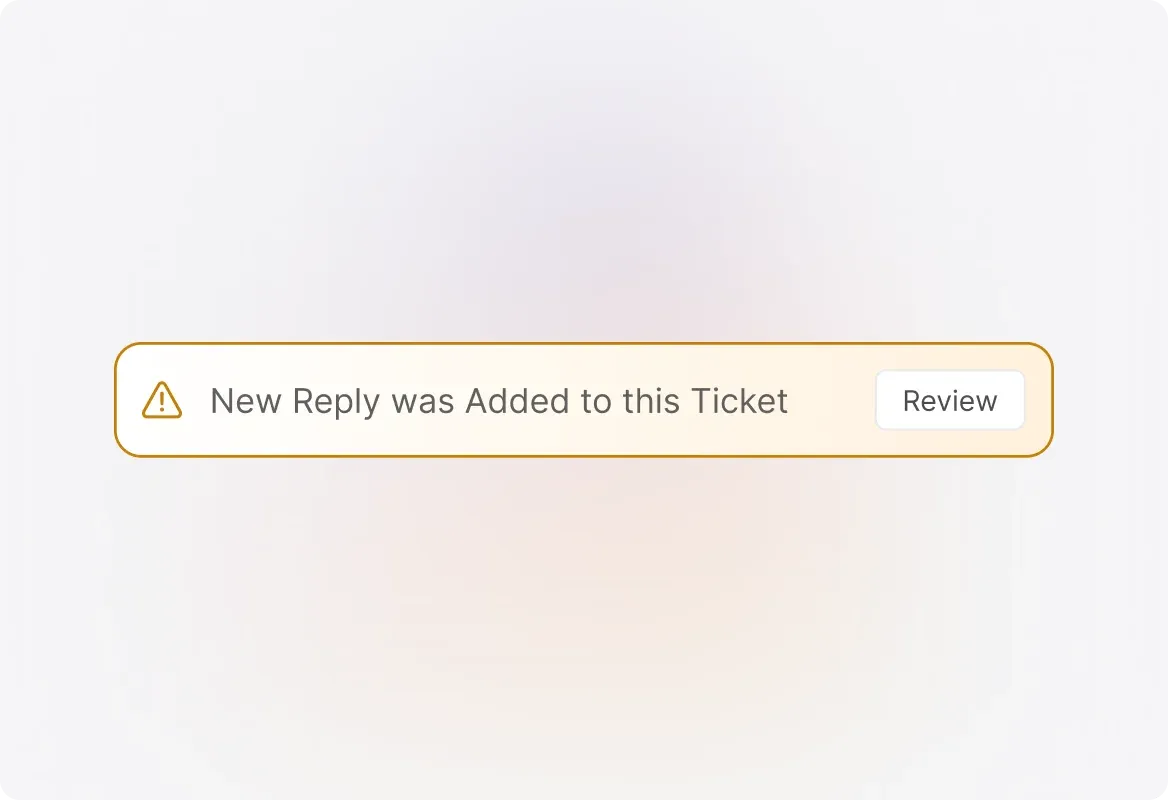
Reactive Agent Collision Detection
When you're composing a reply and another agent has already added an update, HappyFox catches it. Instead of sending a duplicate response, you'll see a warning message, giving you the chance to review the other agent's reply.
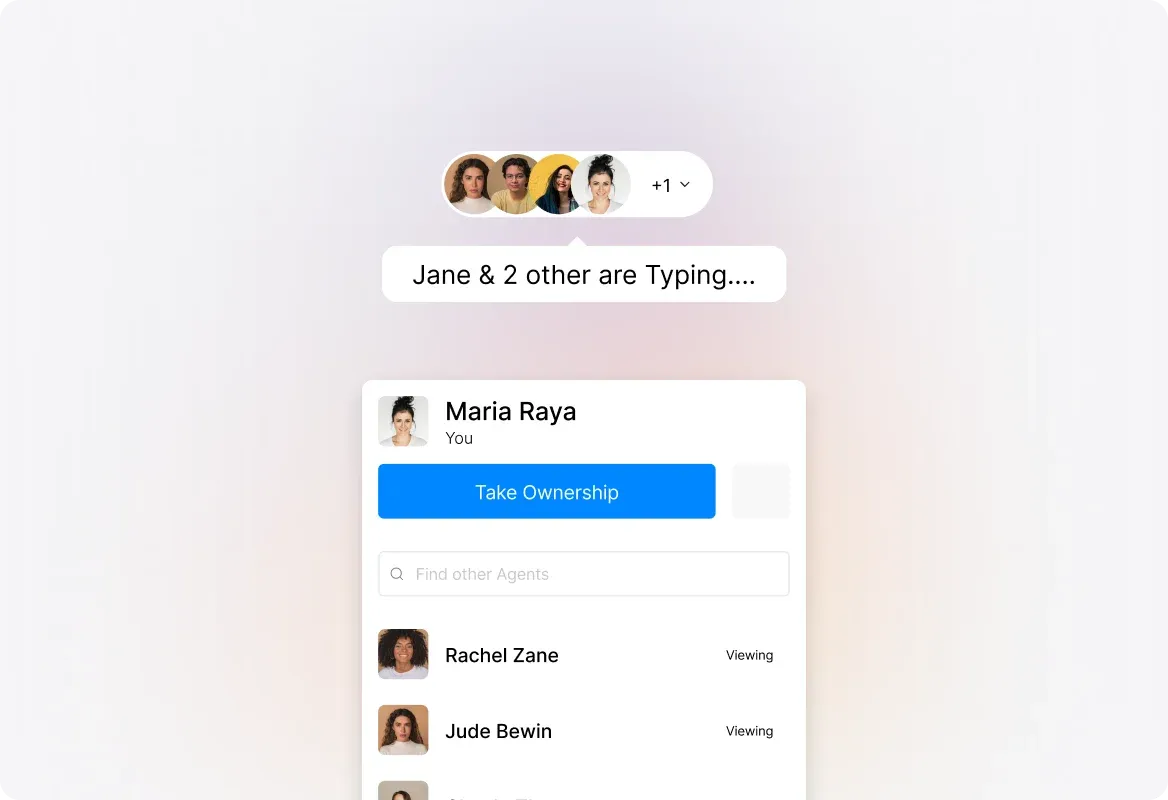
Proactive Agent Collision Detection
See exactly which agents are viewing or typing on the same ticket—in real time. The moment a colleague starts composing a reply, you'll know.
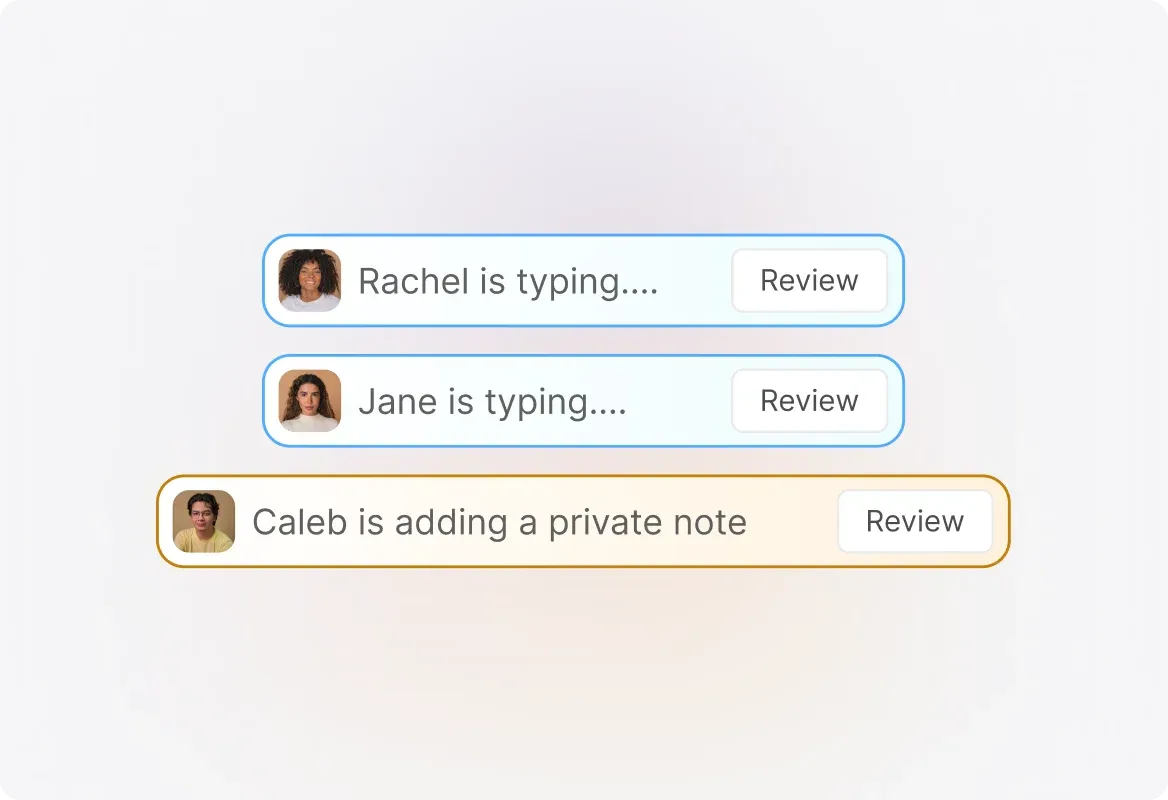
Private Note vs. Reply Distinction
Agent Collision Detection clearly shows whether a teammate is typing a reply to the customer or adding a private note for internal use. This level of detail helps your team coordinate seamlessly without stepping on each other's toes.
Frequently asked questions.
What is Agent Collision Detection in HappyFox?
Agent Collision Detection prevents multiple agents from sending duplicate or conflicting replies to the same ticket. It works in two ways: reactive warnings that alert you when another agent has already replied while you were composing, and proactive real-time visibility showing who's currently viewing or typing on a ticket.
What's the difference between reactive and proactive collision detection?
Reactive collision detection alerts you after another agent has already responded to a ticket while you were composing your reply. Proactive collision detection shows you in real-time who is currently viewing or typing on a ticket, allowing you to coordinate before any collision happens.
Can I see if an agent is typing a reply or a private note?
Yes. HappyFox Agent Collision Detection distinguishes between agents typing a customer reply versus a private note. This level of detail helps your team understand exactly what colleagues are working on and coordinate more effectively.
Which HappyFox plans include Agent Collision Detection?
Agent Collision Detection is available on Pro and above plans. Contact our sales team to learn more about plan options and pricing.
Does this work for all ticket channels?
Yes, Agent Collision Detection works across all tickets in your HappyFox Help Desk, regardless of the channel they came from—email, chat, phone, or social media.