
HappyFox
A configurable help desk for service teams.
- Customer service and internal support workflows
- Configurable ticketing, SLA policies and self-service
- Agent-based or unlimited-agent pricing
A quick scan of the criteria teams evaluate first.
| Criteria | HappyFox | Help Scout |
|---|---|---|
| G2 Rating | Ease of use: 9.3/10; quality of support: 9.1/10 (G2, October 20, 2026) | Ease of use: 9.2/10; quality of support: 9.0/10 (G2, October 20, 2026) |
| Starting price | Basic: $24/agent/month; Team: $49/agent/month; Pro: $99/agent/month (billed annually). Growth: $1,999/month for unlimited agents (billed annually) | $25/user/mo (Standard, annual); Plus: $45/user/mo; Pro: $75/user/mo (min 10 users). No unlimited-agent plan. |
| Setup time | Few hours to 1 week (no IT required) | Under 1 hour — fastest setup in the category (email-first simplicity) |
| Hidden costs | Generous storage, affordable AI, onboarding included in multi-year contracts | Extra inboxes: $10/mo each; extra Docs sites: $20/mo each; Salesforce/Jira/HubSpot locked to Plus+ ($45/mo min); $0.75/AI resolution add-on |
| AI copilot pricing | $14/agent (start with a few, expand as needed) | No per-agent copilot fee — AI Drafts + AI Assist included in Plus/Pro plans |
| Agentic AI pricing | Autopilot: $0.02 per successful action | $0.75/resolution (AI Answers chatbot, pay-as-you-go; 3-month free trial for new accounts) |
| Storage | Clearly included (50 GB to 2 TB per tier) | Unlimited email storage on all paid plans; reporting history limited to 2 years on Standard |
| Support availability | 24/5 and 24/7 email on Team+, 24/7 phone on Enterprise | 24/6 email + chat support; no phone support on any plan |
Start with the operating model that best matches your team.
A configurable help desk for service teams.
Customer conversations with knowledge and workflows.
Compare one decision area at a time.
Match the rollout to the workflows and data you need to bring across.
Compare ticket automation separately from AI and cross-application processes.
A connector needs to support the actions your service process actually requires.
Evaluate the controls required for the data you handle.
Agree on the help your team needs before and after launch.
Use your actual service questions to evaluate reporting depth.
Check the plan that contains the controls you need.
Compare scope, term and usage rather than headline prices alone.
Understand the role each platform is designed to play.
A configurable help desk for service teams.
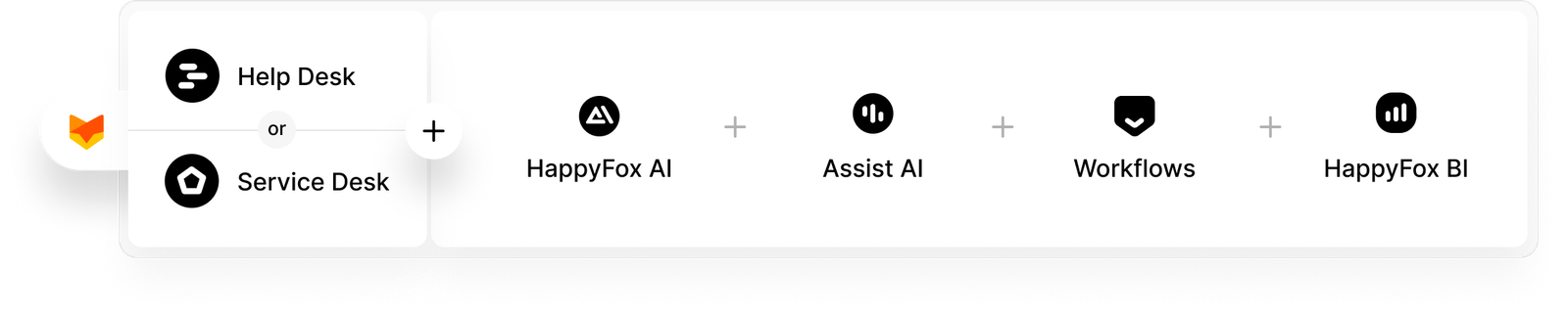
HappyFox brings customer and employee requests into structured ticketing, SLA policies, knowledge and reporting. Plan-dependent task, asset and administration features support more involved service work; AI, Workflows and BI extend the platform as separate products.
Customer conversations with knowledge and workflows.
Help Scout combines shared inboxes, messaging channels, Docs knowledge bases, AI assistance and native SLA policies. Its paid editions vary the depth of workflows, routing, SLA policies, security and administration.


“HappyFox has not just been a tool; it's been a game-changer for Sonny's BBQ. The efficiency and clarity it brought to our IT support and business intelligence processes have allowed us to significantly reduce ticket volumes while improving our operational insights. This isn't just about solving IT issues; it's about elevating the entire brand's operational excellence.”
Test engineering handoffs, customer context, API access and connections to tools such as Jira and Slack. Evaluate the inbox, knowledge and SLA workflow alongside the internal service processes you need to support.
Explore integrationsCheck order context, Shopify and other store integrations, multi-brand support and refund or return actions. Model seasonal ticket peaks and AI usage together.
Explore ecommerce supportStart with data access, retention, residency, audit requirements and the agreement covering regulated information. Confirm that the specific products and workflow meet your organization’s requirements.
Explore healthcare supportEvaluate support for staff, students and departments, along with request categories, self-service knowledge and routing. Include training and school-year demand in the rollout plan.
Explore education supportTest incident ownership, asset context, approvals and customer separation. Confirm the tenant, department, brand and permission model against your service contracts.
Explore IT supportCompare procurement terms, deployment requirements, accessibility and budget predictability. HappyFox offers discounts to qualifying nonprofits and educational organizations; eligibility is confirmed by the team.
Explore nonprofit supportConnect equipment or asset context with tasks, approvals and service requests. Evaluate mobile access, integrations and cross-department ownership using a real operational scenario.
Explore manufacturing supportOur team handles supported data migration, custom field mapping, and workflow setup.
Testing, validation, and cutover are included with any annual HappyFox Help Desk subscription.
Training and 30 days of migration stabilization are included, with no additional HappyFox migration fees or per-record charges.
Manage customer requests through ticketing, self-service, routing and reporting.
Explore Help DeskCoordinate incidents, service requests, assets and approvals across internal teams.
Explore Service DeskConnect service work with the other tools and approval processes your business uses. Workflows is priced separately from Help Desk.
Explore WorkflowsHappyFox AI starts at US$14 per agent per month, Autopilot is priced as low as US$0.02 per successful action, and Workflows starts at US$199 per month. An action, a conversation, a message credit and a resolved ticket are different billing units; model your own usage before comparing totals. Review the HappyFox product prices for the products you need.
Switch to HappyFox Help Desk with white-glove migration included in any annual subscription. Our team handles supported data migration, custom field mapping, workflow setup, testing, validation, and cutover. Training and 30 days of migration stabilization are included, with no additional HappyFox migration fees or per-record charges.
Rollout time depends on the channels, historical records, integrations, approvals and service policies you need. Evaluate a representative workflow with the people who will administer and use it. Include migration testing and agent training in the schedule.
Choose the required support channels and response commitments, then review security controls, access permissions, data location and retention in the proposed plan. For regulated information, confirm the product scope and signed contractual terms. Explore HappyFox security for more detail.
Yes. Standard includes one basic SLA policy, Plus includes two advanced SLA policies, and Pro includes unlimited SLA policies. HappyFox also offers native SLA management. Compare the policy depth, reporting, business-hour rules and plan limits that your service process needs.