Chatbots have become a common feature across websites, apps, and messaging platforms.
Whether answering customer questions, guiding users through a purchase, or assisting
employees with internal requests, chatbots help businesses automate conversations at scale.
As digital interactions increase, organizations are turning to chatbots to provide faster
responses, reduce manual workload, and offer support around the clock.
But what exactly is a chatbot, and how does it work?
In this guide, we’ll explain what a chatbot is, the different types available, how chatbots
function, and where businesses use them today.
TL;DR
A chatbot is a software program designed to simulate human conversation through text or
voice interactions. Businesses use chatbots to answer questions, automate routine tasks,
and provide support across websites, apps, and messaging platforms. Powered by
automation or AI, chatbots help organizations deliver faster responses and manage
conversations at scale.
What is a Chatbot?
A chatbot is a conversational interface that allows users to interact with a digital
system using natural language through text or voice. It analyzes user input, identifies
intent, and generates relevant responses using predefined rules or artificial
intelligence technologies such as natural language processing and machine learning.
Chatbot adoption has grown significantly as businesses expand digital customer
interactions. Research consistently shows that organizations are investing in automation
to handle increasing volumes of support requests while maintaining service quality.
Users often value chatbots for their speed and convenience. Instead of waiting on hold
or searching through lengthy documentation, customers can receive immediate responses to
common questions through conversational interfaces.
Industry analysts also predict continued growth in automated customer interactions as
AI-powered chatbots become more capable and widely adopted.
Benefits of Chatbots
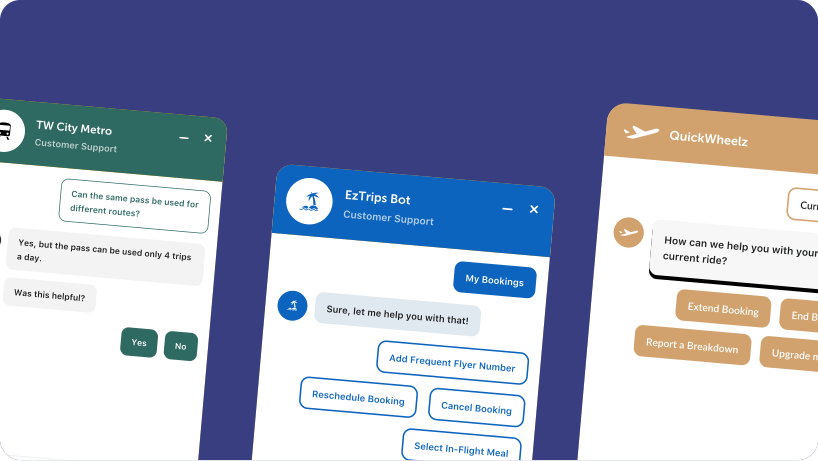
Chatbots are meant to complement an organization's live agent team. Companies are rapidly undergoing a digital transformation and intelligent chatbots are disrupting the industry. While there are countless use cases, here are some of the most obvious and best chatbot benefits.
Chatbots provide instant answers to common questions, eliminating wait times associated with phone calls or email queues. Immediate responses improve user satisfaction and reduce friction in digital interactions.
Unlike human agents, chatbots operate continuously. They assist customers across time zones and outside business hours, ensuring uninterrupted support.
Many customer inquiries are repetitive and transactional. Chatbots can resolve frequently asked questions, redirect users to knowledge base articles, and automate simple requests - reducing the number of tickets that require human intervention.
As inquiry volume grows, scaling human teams can be costly. Chatbots handle multiple conversations simultaneously, allowing businesses to manage increased demand without proportionally increasing headcount.
By deflecting routine queries, chatbots allow human agents to focus on complex or high-value issues. This improves resolution quality and reduces agent burnout.
Chatbots make FAQs, help articles, and support content more accessible. Instead of searching manually, users receive guided assistance in conversational form.
Chatbots can assist customers during purchase journeys, answer product questions, recover abandoned carts, and provide personalized recommendations - supporting both engagement and revenue growth.
Automating repetitive tasks reduces operational costs associated with large support teams. By optimizing resource allocation, organizations can improve efficiency without compromising service quality.
Types of Chatbots
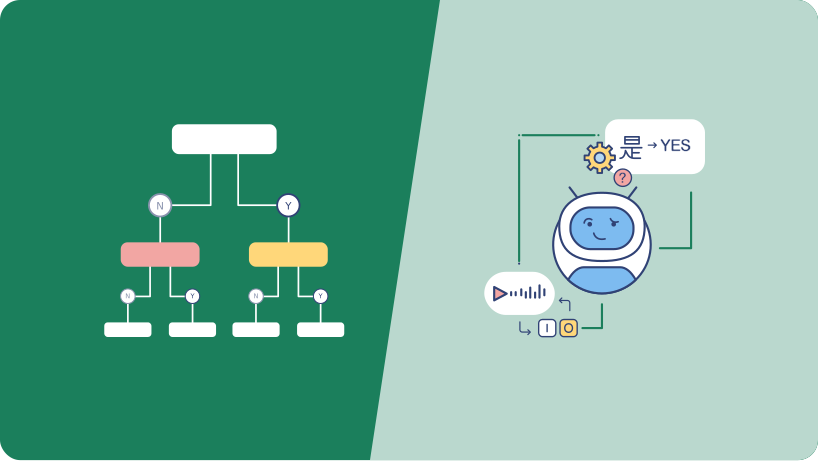
Chatbot software is broadly divided into two types: Decision-Tree and Natural Language Processing-based chatbots. Let's see what these two mean:
Decision-Tree based Chatbots
Often also referred to as "Rule-Based" chatbots, these entail a set of rules and if/then dialog structure that drives visitor conversation to find answers to pointed questions. Allowing easy customization and setup, they have found popularity amongst the industry for excellent customer engagement.
CNLP-based chatbots
This type of AI bot leverages machine learning and context detection to provide visitors with accurate answers and a top-notch conversational experience. These are also a very sought after type of chatbots as they are continuously learning from their user interaction through natural language understanding, resulting in a reduction of manual intervention.
How to Build a Chatbot?
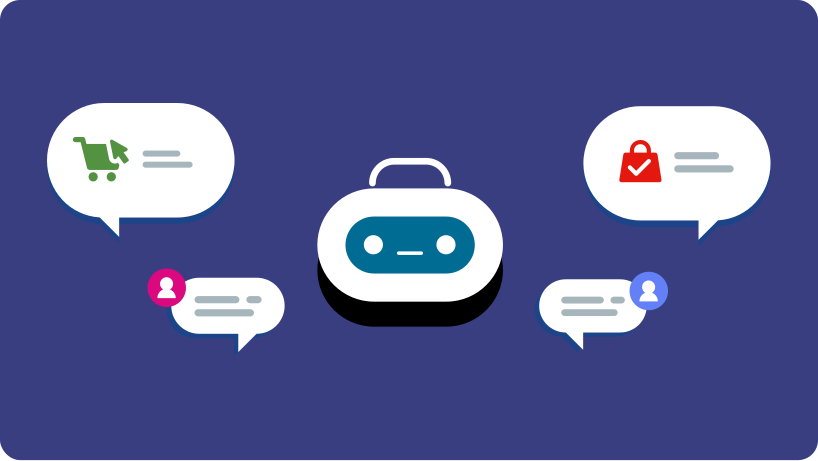
Chatbot applications have been demonstrated to not only boost customer service and customer satisfaction but also increase sales. Due to the growing demand, there are many chatbot builders available in the market today that can help businesses automate their customer service. The following instructions are designed to guide you to plan and build a customer service chatbot
Determine the Goals of the Chatbot
The most important step of implementing a chatbot for your organization entails understanding why you need one. The key is to identify a list of questions and queries that make up 80 percent of the volume of incoming inquiries. Determine whether you want your chatbot to interpret questions very narrowly – deflecting fewer questions from the contact center but being highly precise – or broadly, creating a higher rate of deflection at the risk of answering incorrectly.
Evaluate and Choose a Support Channel
Text-based chatbots can live on any communication channel. Whether that’s a traditional mobile carrier channel (SMS), a messaging app (Facebook Messenger, WhatsApp), social media like Twitter, or Amazon Alexa, or a live chat widget embedded on a website or mobile app. Whichever channel you choose, the chatbot's capabilities are limited to what the channel offers. Sometimes the right channel of communication opens up new perspectives for better customer service. One of the best practices is that the tone of the chatbot must remain constant across all channels.
Apply the principles of Conversation Design
Chatbots are about a continuous conversation workflow that allows for any
number of responses between the chatbot and the customer. When compared to
the user experience of mobile apps or websites, the messaging channel is
story-based or flow-based, where all previous interactions are always
visible to both parties.
This means the customer's queries and chatbot's responses can never be
analyzed in isolation – they are always part of a larger conversation. What
Information Design is to mobile apps and websites, Conversation Design is to
designing chatbots.
Add Personality to your Chatbot
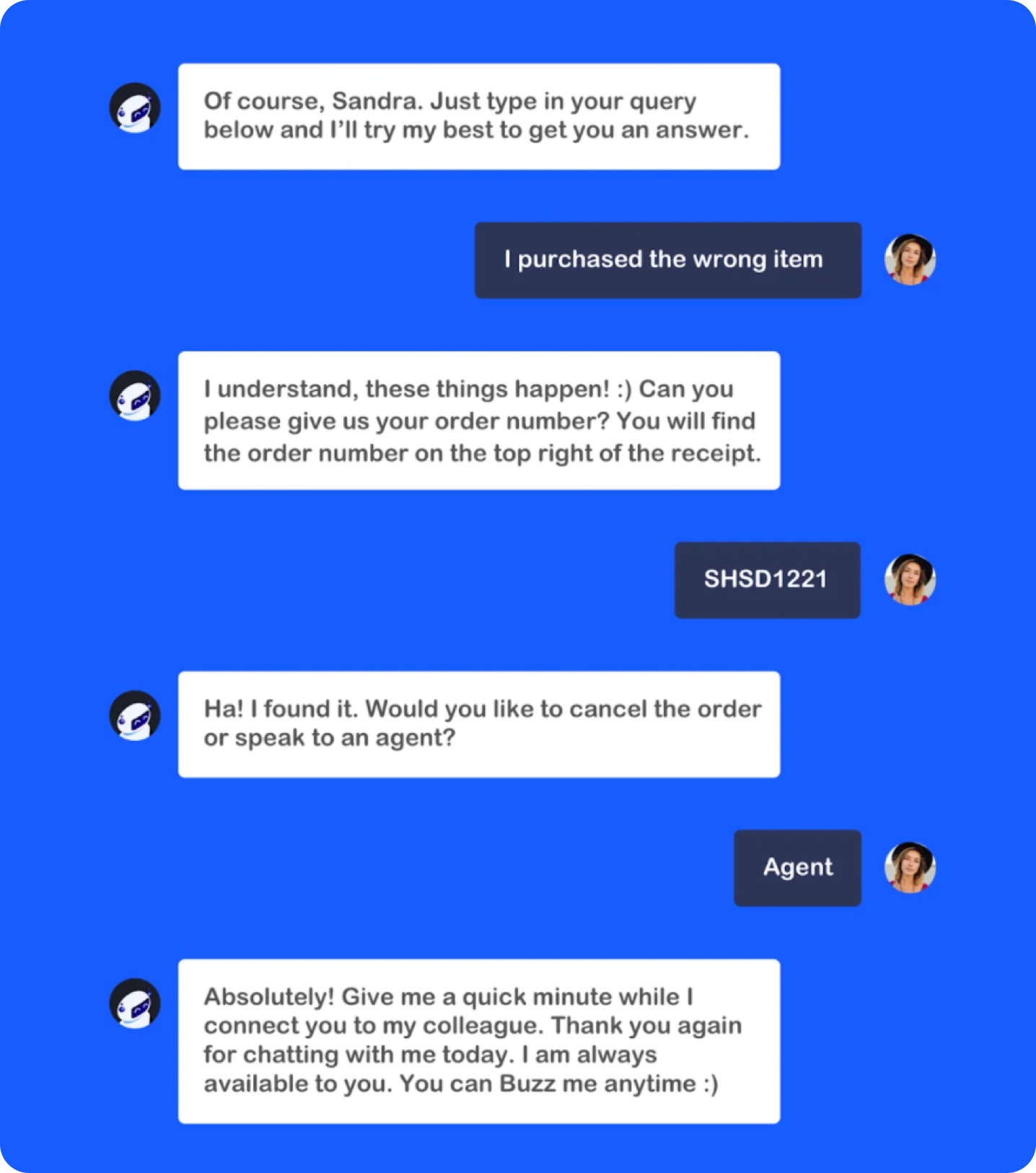
When looking to implement chatbots, adding a touch of personality to the machine can take your customer’s experience to a higher level. Ensure that your visitor has a bot experience that is similar to real-time interaction with a human agent. This leads to a memorable experience. Making sure you design your bot to tap into your target audience is the most essential step of this process - must the chatbot be playful or should it have a more serious tone? Another way you can add personality to your bot is by including empathy and emotions in your responses or even just giving a familiar or catchy name to your bot.
Design Chatbot Integrations
Integrations open up endless possibilities for the chatbot. If you are already using a self-service or help desk platform (web or voice), you may want to integrate it with the chatbot. Business communication platforms such as Microsoft Teams and Slack are also top-rated integrations with chatbots to ease customer service.
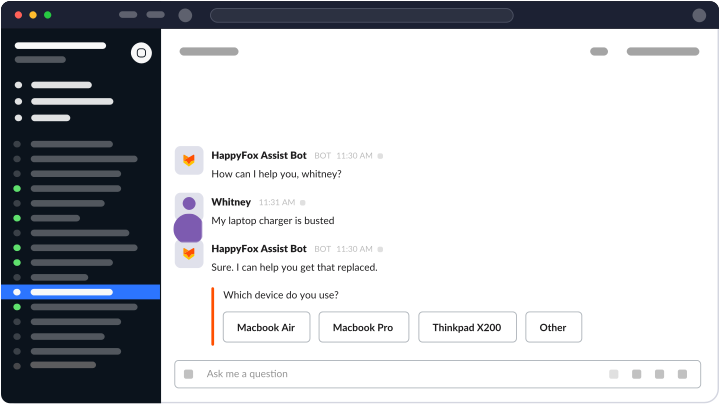
For example, if your CRM (Customer Relationship Management system like Salesforce) identifies your customer and provides order status information, then this information (via API calls) can add context to the customer's queries. Similarly, your chatbot can integrate with your help desk software to automatically create a ticket for unresolved queries. Another popular chatbot integration is with meeting scheduling. The chatbot can collect the necessary information and schedule a meeting with the customer. Calendar invitations are sent to the respective parties and kept in sync.
Building a Chatbot for your Business
If you do not have an existing data set to train your chatbot, you are
better off with the decision-tree based approach that also comes with
templates and a drag-and-drop interface to create specific actions as per
defined rules. The latter also allows you to retain more control over how a
question is interpreted, which matters in customer service, as you want to
minimize the probability of giving out a wrong answer.
If you selected a platform based on Machine Learning (ML) and deep learning,
you will provide this platform with your example sentences for every
possible customer intent. The more examples you provide, the better the ML
algorithm will learn, and the better it will learn how to distinguish
between different customer intents. This learning can be a continuous
process. As more customers use the chatbot, their inputs can be fed to the
machine learning algorithm for further improvement.
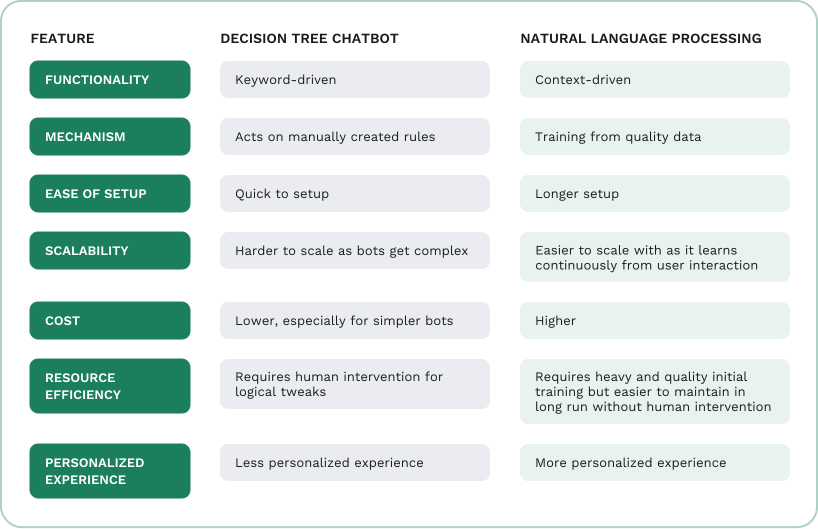
While both types of virtual assistants – Decision Tree and NLP-based
chatbots have their advantages and disadvantages such as ease of setup,
pricing, etc; the hybrid model seems to work for a majority of
organizations. Most companies try to get up and running with the
decision-tree based chatbots, often adding layers of conversational AI to
their setup slowly. This enables businesses to use the best of both of these
models, to their advantage - higher flexibility and speed but also breaking
the linguistic barriers.
Iterate and Refine your Chatbot with Analytics
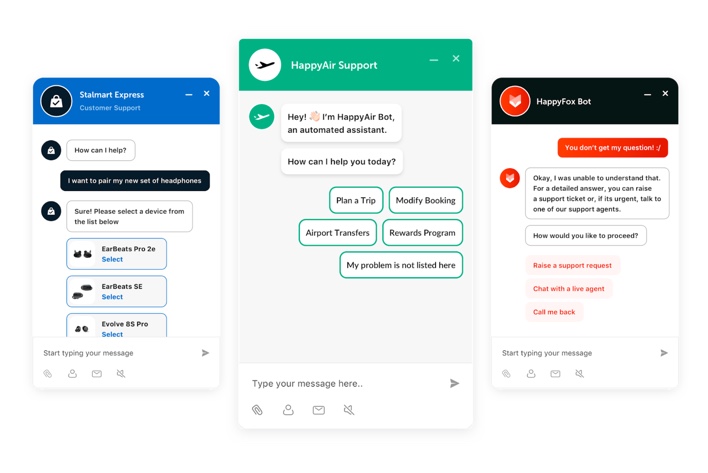
Work on the chatbot is never fully complete. To get the most out of a
chatbot, it is important to monitor customer queries and refine the
chatbot’s responses. Typical revisions include rewording certain responses
as you review follow-up clarification questions from your customers that
wouldn’t have been necessary if the bot’s answer had been clearer.
You may need to add new use cases if the designed use cases do not cover the
majority of customer requests. To ensure continuous customer satisfaction it
is important to view the chatbot design as an iterative process: Gather
data, review it, and apply it to your chatbot’s design.

70% of customer queries are usually the same repetitive questions that can be easily handled and resolved by a chatbot.
Analyzing Your Chatbot Data
The successful implementation of a chatbot rarely ends at going live. One of the most
crucial steps to ensure your bot truly provides exceptional service to your customers is
by continuously improving - Iterating and Refining. But how can enterprises make
continuous improvements easier? By actively measuring the success of their chatbots.
Analyzing chatbot data not only helps in strategizing logical and tactical ways of
improving messaging for the ultimate customer experience and forging deeper brand
loyalty but also helps businesses understand their market better to grow their business.
Here are some of the top metrics that can help you understand your consumer base -
Total Chats
Know exactly how many conversations your bot engages in with your visitors over a specific period – daily, weekly, monthly!
Overall Rating
Get a snapshot of how your customers score your chatbot. This KPI gives you an average score of all the feedback ratings captured when a visitor interacts with your brand using a chatbot.
Top Issues
See what questions are your customers asking and use this information to develop your products and services.
Hard Deflection
A tangible indicator of how helpful the chatbot is in providing service to your user without any human intervention.
Key Features of a Chatbot Platform
When evaluating chatbot solutions, it’s important to understand the core features that determine performance, scalability, and long-term value.
Modern chatbots should support more than a single function. Beyond simple tasks like newsletter sign-ups or appointment scheduling, advanced platforms enable customer support automation, lead qualification, FAQ handling, and internal service workflows within the same system.
A strong chatbot platform allows deployment across multiple communication channels, including websites, mobile apps, messaging platforms, and collaboration tools. Omnichannel support ensures consistent user experiences wherever customers engage.
NLP enables chatbots to understand user intent rather than relying solely on keyword matching. Platforms that leverage AI and machine learning can interpret context, improve accuracy over time, and deliver more natural interactions.
Some platforms offer ready-to-use templates for common use cases such as customer support, appointment booking, and lead capture. These accelerate implementation and reduce development effort.
Chatbots are most effective when connected to backend systems such as help desk software, CRM platforms, e-commerce tools, and internal databases. Integrations allow bots to retrieve customer data, update records, trigger workflows, and provide personalized responses.
As business needs evolve, chatbot platforms should support customization, workflow expansion, and increasing interaction volumes without performance degradation.
Chatbots cut customer service costs up to 29% – 46%
- Business Insider
Key Takeaways from this Guide
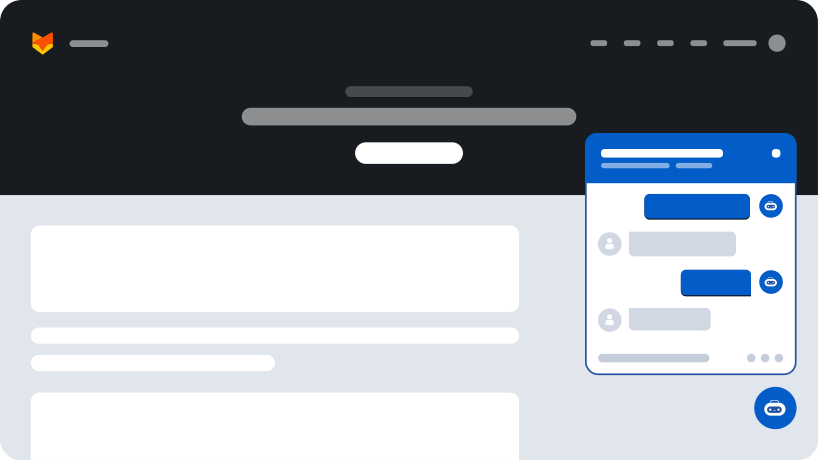
Chatbots are software programs designed to proactively engage with website visitors,
providing them instant and accurate access to information about your products and
services.
The benefits of using chatbots are manifold - increasing sales, generating leads,
streamlining customer support, overcoming shopping cart abandonment, and can even
automate various business process activities.
The best customer service set-ups are a hybrid of automated solutions with personal
human interactions. From the customer’s perspective, the journey is a smooth series of
easy-to-use questions and responses with easy-to-access off-ramps to jump to a real
person.
HappyFox Chatbot makes it incredibly easy to
launch a fully custom chatbot solution
personalized to your unique business needs. Talk to our
Product Specialists to learn
more
about our unique product offering.
What is a chatbot used for?
Why would someone use a chatbot?
How do AI chatbots differ from rule-based chatbots?
What is an example of a chatbot?
Talk to our product specialists. Get a one-on-one demo, tailored to your business needs.
Get a Demo














