
Choose per-agent pricing
Basic: $24/agent/month billed annually or $29 monthly, up to five agents. Team: from $49/agent/month billed annually. USD prices checked October 27, 2026.
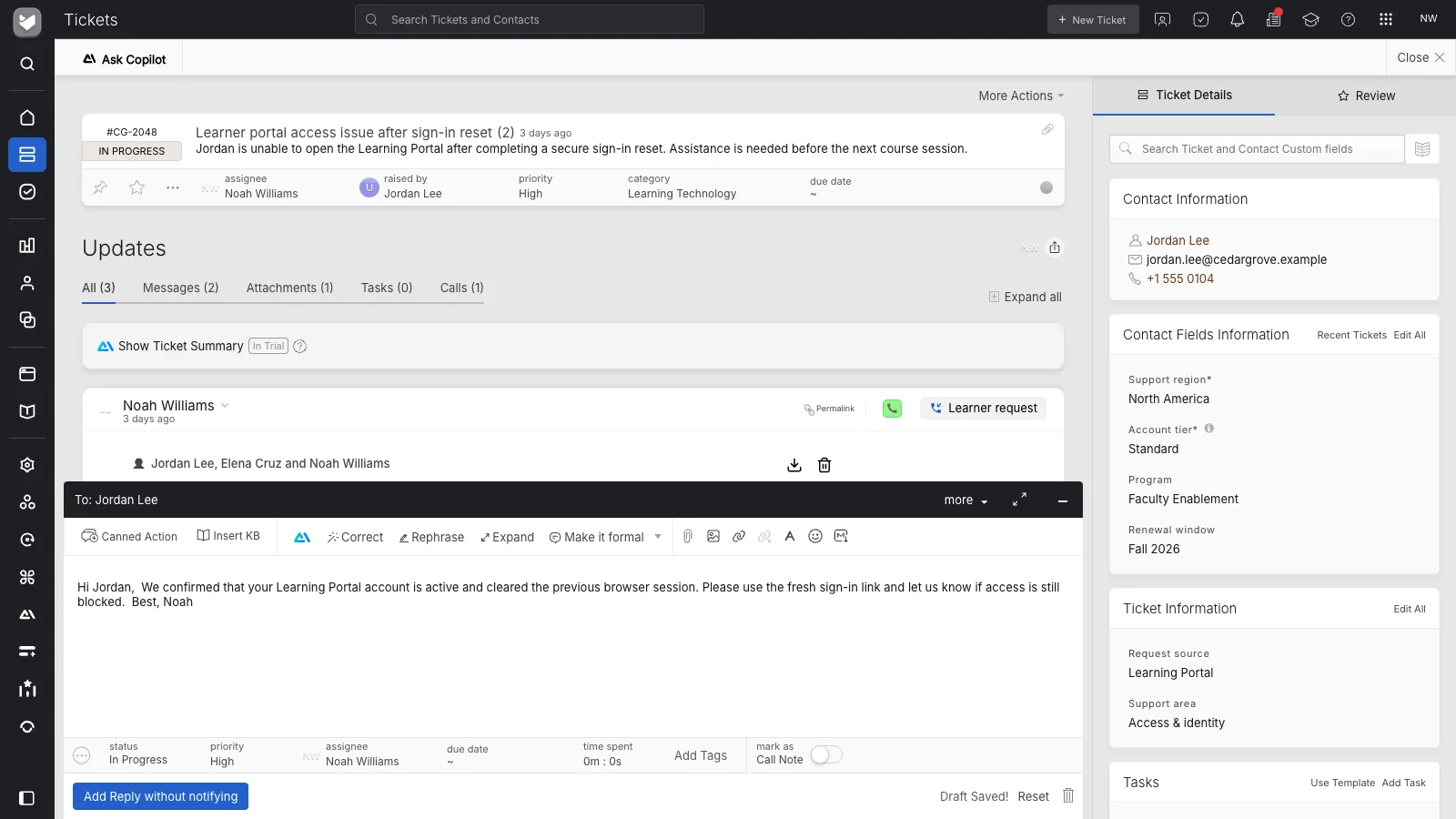


“The learning curve was small, and understanding the HappyFox support center was not too difficult.”
HappyFox is a Zendesk alternative for teams that need structured ticketing, Smart Rules routing, SLAs, a knowledge base and multi-brand support. Choose per-agent or unlimited-agent pricing, with managed migration included on annual plans. Add HappyFox Workflows for processes spanning applications.
Basic: $24/agent/month billed annually or $29 monthly, up to five agents. Team: from $49/agent/month billed annually. USD prices checked October 27, 2026.
Growth starts at $1,999/month billed annually, including 20,000 tickets/year. Match the allowance to your volume. USD prices checked October 27, 2026.
Get three months of HappyFox subscription credit with an annual plan, or six months with an eligible longer commitment.
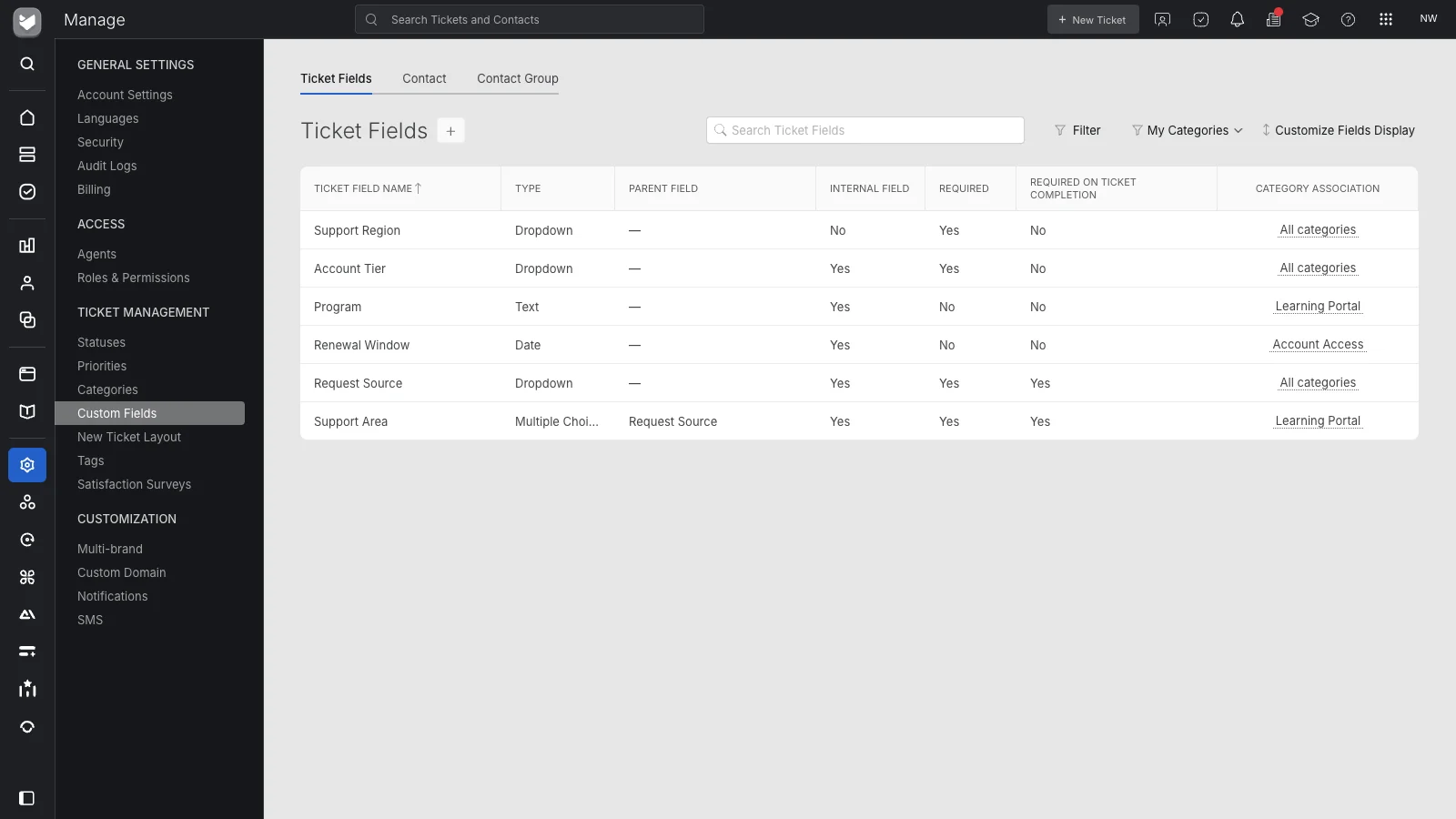
Configure fields and access for each team. On Team, add multi-brand help desk, custom roles and queues with brand-specific identities and signatures.
Find answers, summarize conversations and draft replies with HappyFox AI. Agents review the response before sending.
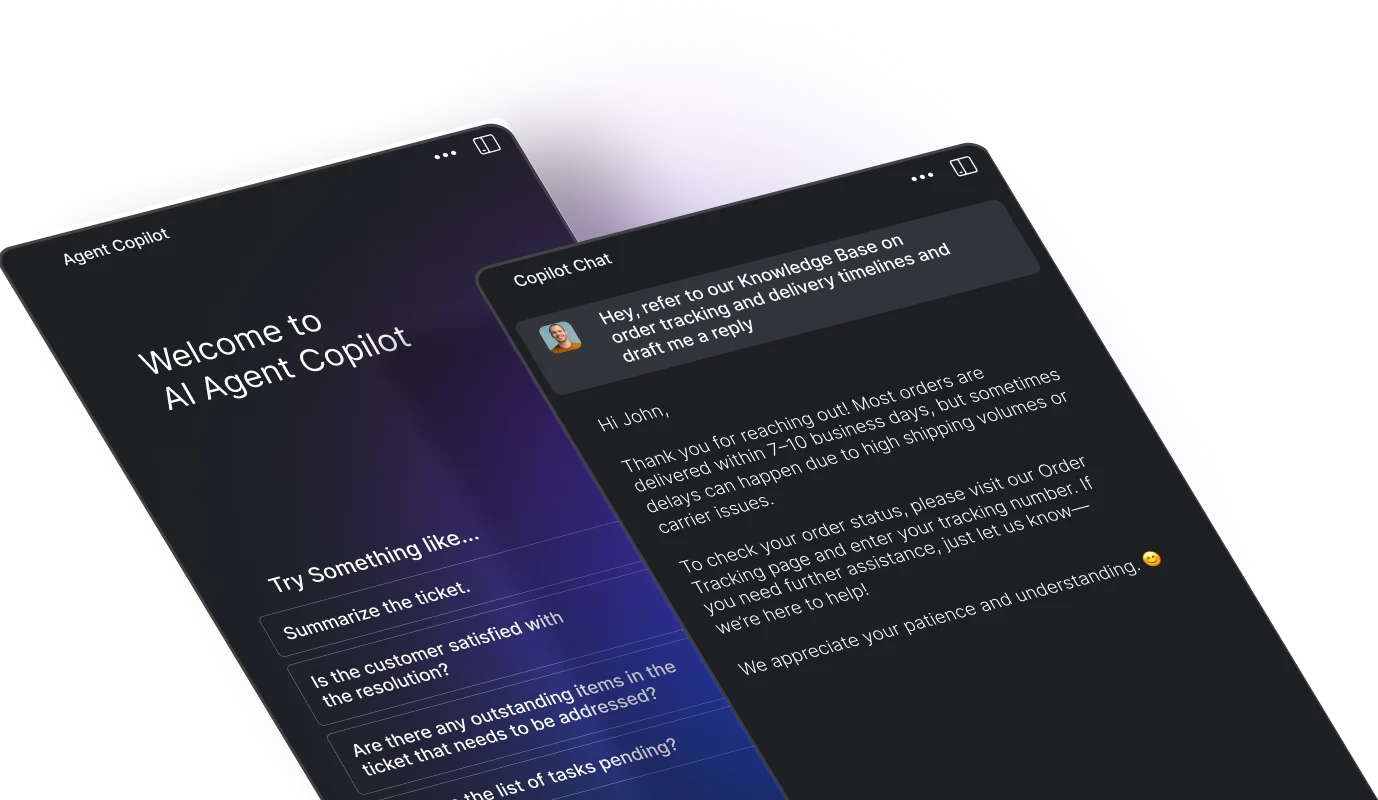
Use suggested resolution steps to choose the next action for this customer’s situation.
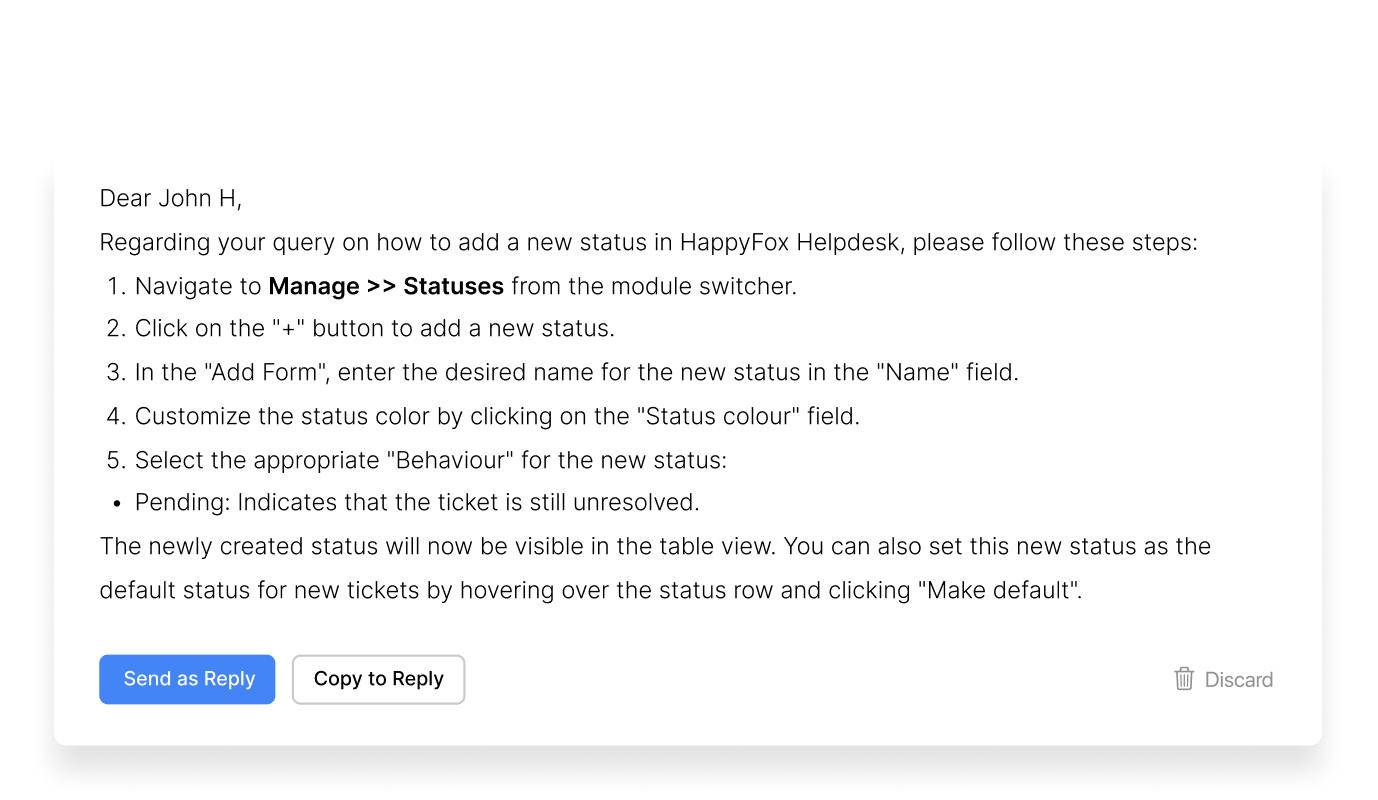
Find knowledge gaps and draft articles from support interactions. Your team reviews and publishes to expand future coverage.
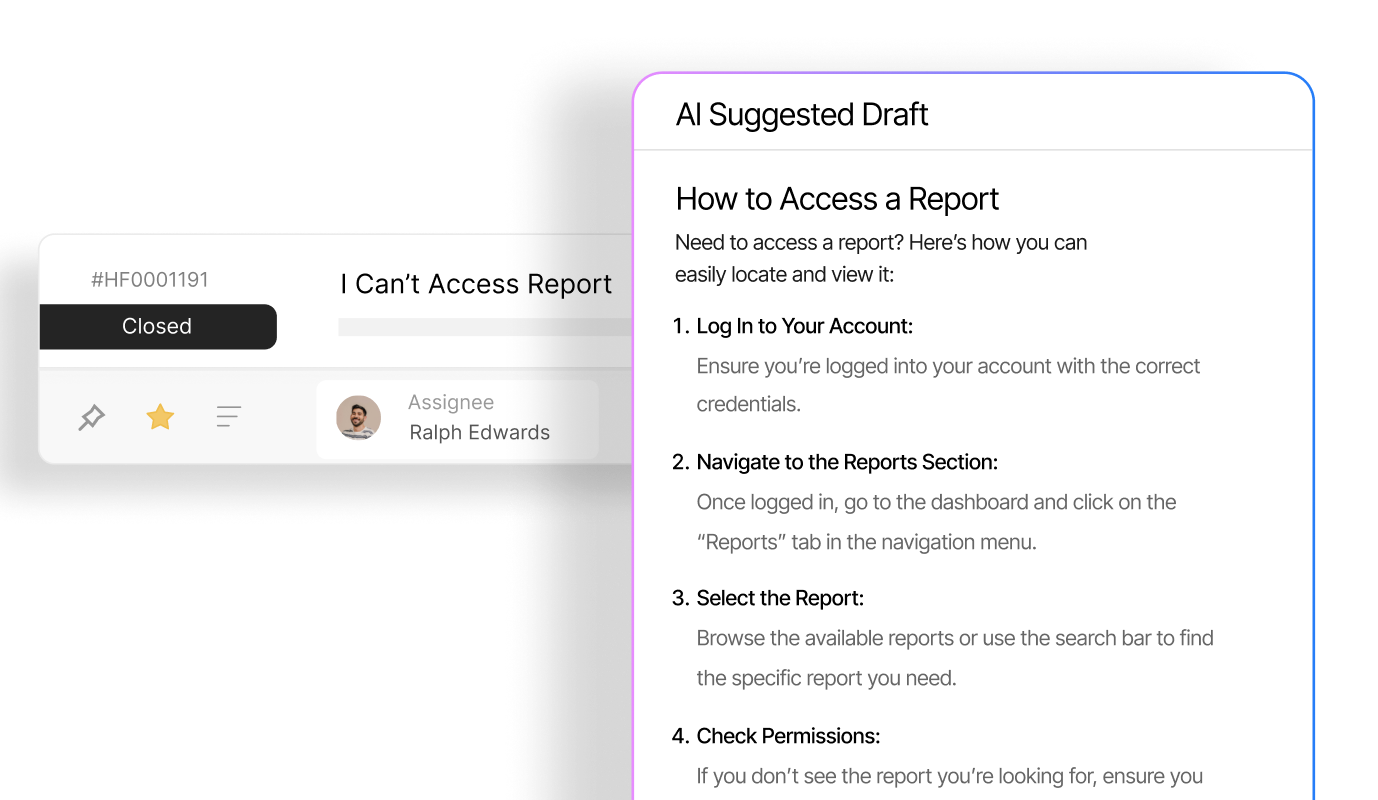
Triage, tag and update tickets with AI agents. Start supervised and inspect completed actions.

Answer from connected knowledge, then hand conversations to people when needed.

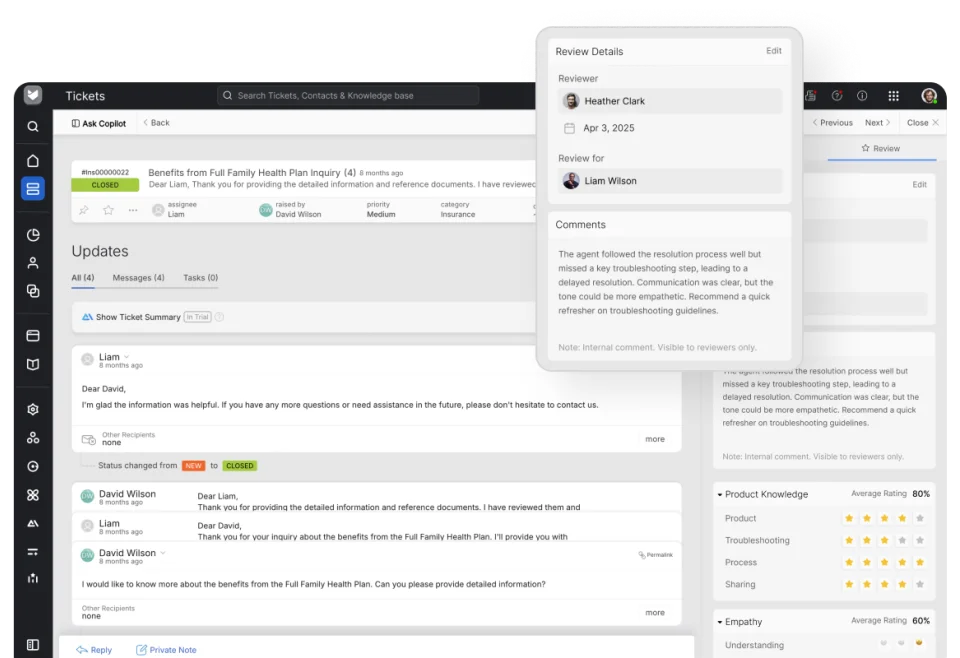
Review ticket handling with scorecards and give agents specific coaching feedback.
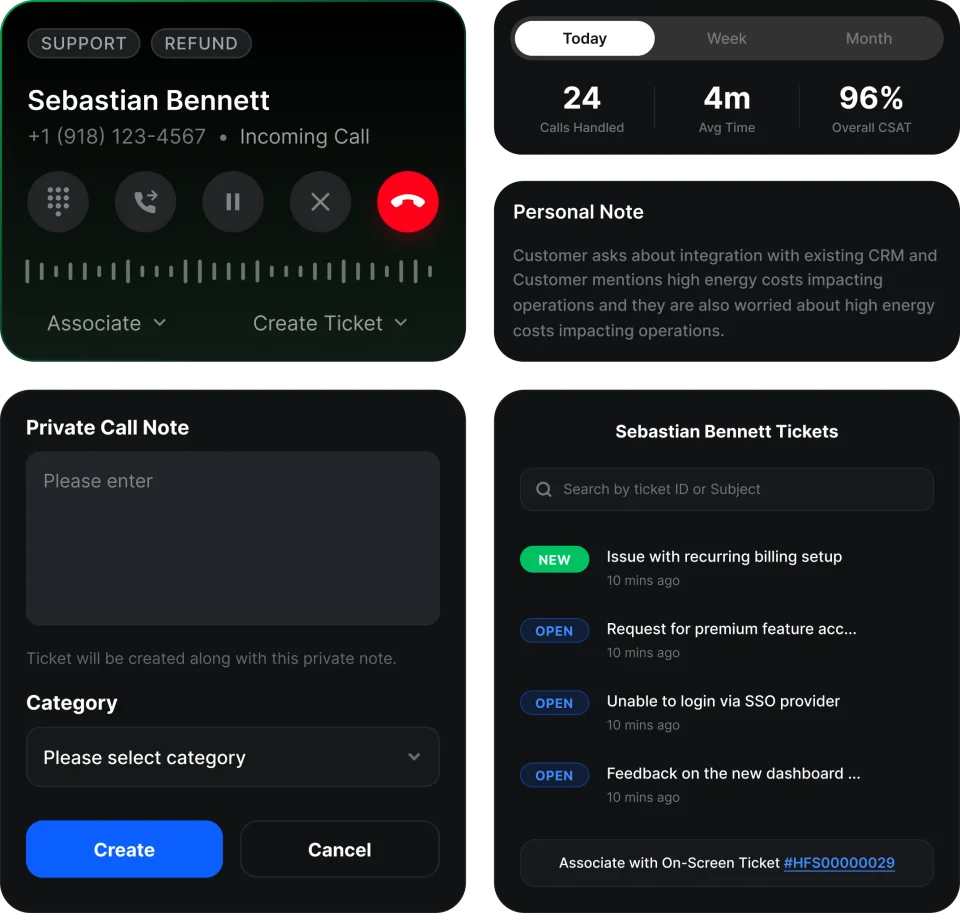
Bring calls, recordings, transcripts and summaries into your support workflow.
Choose structured ownership, routing, permissions and SLAs, with shared customer history.
A configuration fix may be enough. Check critical apps and bespoke workflows before moving.
Email-first teams may prefer a shared inbox. CRM-led teams should evaluate that ecosystem too.
Inventory workflows, data and channels. Plan backward from your renewal and cancellation notice deadline.
Agree data mappings, exclusions and workflow equivalents with your migration owner.
Most imports take 1–3 days including preparation, subject to Zendesk API limits. Full transition timing also includes setup and testing.
Check record counts, conversations and attachments. Test rebuilt rules, SLAs, brand identities and permissions.
Run the final supported sync, approve the result and switch channels in the agreed window.
Train your team and complete handover, with 30 days of migration stabilization included after launch.
4.5/5 on G2 138 reviews
“Customer support was there for us at implementation when we had all our questions regarding setup…”
Our team imports supported data and rebuilds supported workflows in HappyFox. Test the mapping before you approve the move.
| Zendesk data or setup | How we handle it | HappyFox destination and scope |
|---|---|---|
| Tickets | Moved by us | HappyFox tickets Supported, exportable ticket records. Validate statuses, priorities, and assignments in the test import. |
| Users / requesters | Moved by us | HappyFox contacts Customer contact records and ticket relationships. Configure agent access and roles separately. |
| Organizations | Moved by us | HappyFox companies Supported company records and their mapped contact relationships. |
| Replies and private notes | Moved by us | Ticket conversation history Public replies and private notes. Check visibility and conversation samples before sign-off. |
| Ticket attachments | Moved by us | Attachments on ticket conversations Supported, exportable files. Check representative downloads during validation. |
| Tags | Moved by us | HappyFox ticket tags Map the tags you use in routing, queues, and reporting. |
| Custom fields | Moved by us | Mapped HappyFox custom fields Map supported values and field types. Recreate field definitions and choices to fit the destination. |
| Macros | Rebuilt by us | HappyFox canned responses and actions Recreate response text and supported ticket actions, then test placeholders and field changes. |
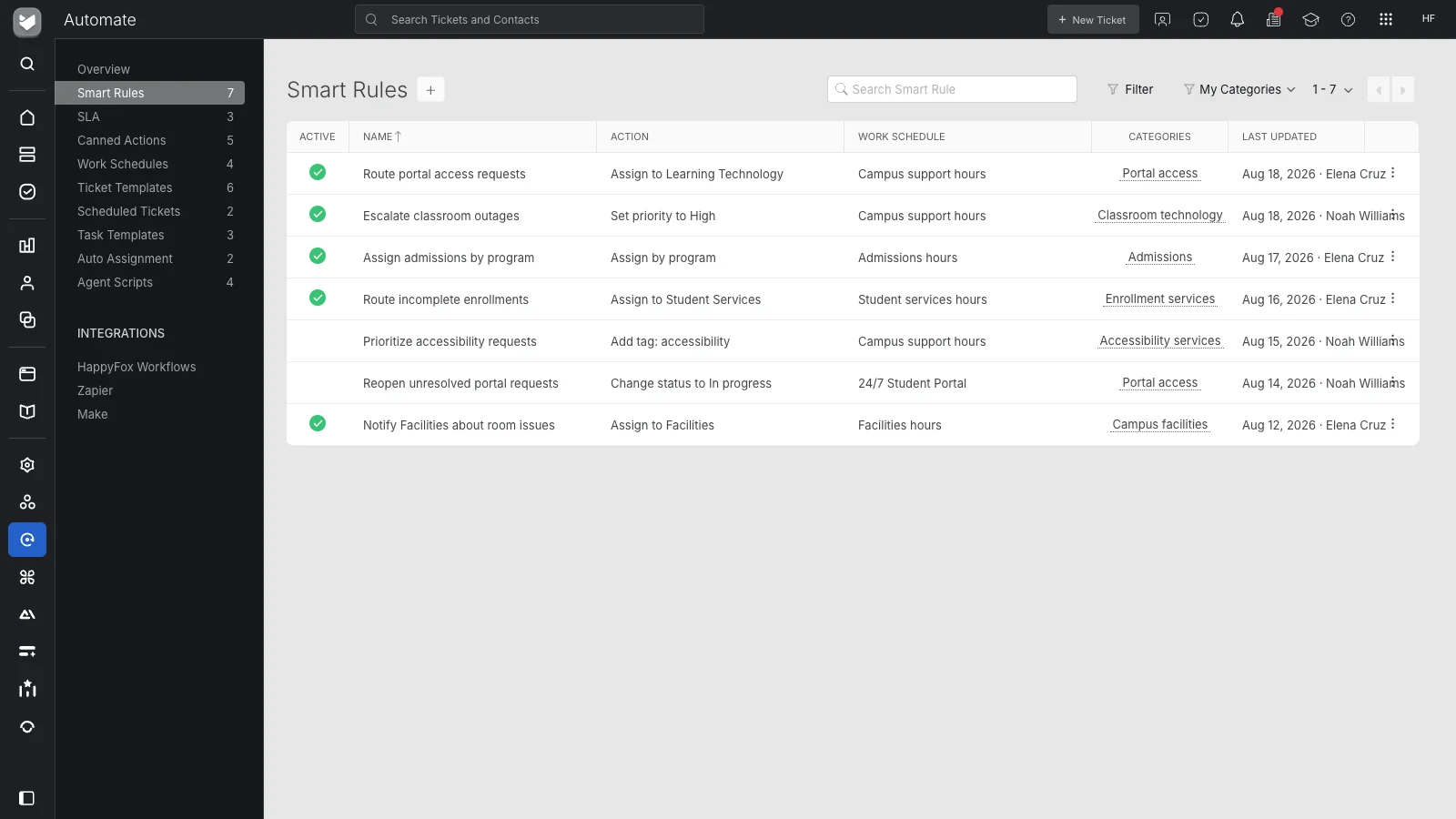
| Triggers | Rebuilt by us | HappyFox Smart Rules and notifications Recreate supported event-based routing and actions. Audit rule order and overlapping conditions. |
| Automations | Rebuilt by us | HappyFox automation configuration Rebuild supported timed workflows using HappyFox capabilities; validate timing and business hours. |
| SLAs | Rebuilt by us | HappyFox SLA policies and work schedules Configure targets, business hours, and escalation behavior. Historical SLA metrics need separate reporting planning. |
| Help Center sections and articles | Moved by us | HappyFox knowledge base via KB Importer Our team imports sections and articles end-to-end. Inline images carry over when referenced in article HTML. |
| Files attached to Help Center articles | Not moved | Separate handling required Article file attachments are excluded from KB import. Inventory them before moving; ticket attachments are handled separately above. |
| Views | Rebuilt by us | HappyFox ticket queues Recreate the supported filters your agents use. Validate visibility and permissions in the selected plan. |
Annual plan
An eligible annual plan can include three months of HappyFox subscription credit.
Two-year plan
Six months of HappyFox subscription credit with an eligible two-year upfront plan.
Three-year contract
Six months of HappyFox subscription credit with an eligible three-year contract. Request your quote.
Monthly license equivalents billed annually, in USD before tax. Start with the base plan, then model the rest of your requirements below.
| Team size | HappyFox Team · $49/agent | Zendesk Suite Team · $55/agent | Zendesk Suite Professional · $115/agent |
|---|---|---|---|
| 10 agents | $490/month | $550/month | $1,150/month |
| 25 agents | $1,225/month | $1,375/month | $2,875/month |
| 50 agents | $2,450/month | $2,750/month | $5,750/month |
Use your current invoice and the HappyFox plan you need. Compare the same 12 months, including time running both tools.
USD prices and offer terms as of . Estimates exclude taxes, exchange rates, and future price changes. Use the subscription price and invoice credit confirmed in your quote.
Illustrative example: 20 agents on Team, annual billing.
Estimated first-year savings$12,180.00
Base subscription invoice after credit: $8,820.00. This covers 12 months. Add-ons, usage, and Zendesk charges are separate.
Chatbot monthly estimate: $0.00.
First-year difference = 12 × current monthly cost − (12 × HappyFox monthly subscription − invoice credit + 12 × monthly add-ons + Zendesk overlap + one-time transition costs).
Eligible annual plans receive three months of HappyFox invoice credit. Two-year plans paid upfront and three-year contracts paid annually receive six months. Invoice credit equals the confirmed credit months × the HappyFox base subscription per month. It is applied once and is based on HappyFox cost, not your Zendesk bill. Only select a credit included in your offer.
Chatbot usage = resolutions × $0.33. Chatbot bundle = $499 + max(0, resolutions − 2,000) × $0.25 per month. The bundle remains $499 below 2,000 resolutions.
The first-year comparison allocates 12 months of HappyFox subscription cost. A two-year upfront payment covers 24 months; its base subscription invoice is shown separately. Enter a constant monthly volume for this estimate. Existing prepaid Zendesk costs still belong in overlap when they cover the transition period.
Keep one owner for the go/no-go decision. Complete these checks before Zendesk stops receiving new requests.
| Check | What to confirm |
|---|---|
| 01 · Audit triggers, automations, and integrations | Remove obsolete rules, identify overlaps, and document each integration and owner before recreating the active workflow. |
| 02 · Run a test import | Include open and closed tickets, replies, private notes, attachments, contacts, custom fields, and knowledge articles in a representative sample. |
| 03 · Check counts and record quality | Reconcile record counts, then inspect relationships, note visibility, attachment downloads, field values, and representative conversations. Resolve discrepancies before sign-off. |
| 04 · Approve the rebuilt workflows | Test routing, macros, SLAs, business hours, permissions, queues, brand identities, and connected integrations with the people who use them. |
| 05 · Run the final supported sync | Agree a cutover window and synchronize supported records created or updated during the transition. Check the result before directing new work to HappyFox. |
| 06 · Switch email forwarding and incoming channels | Update forwarding and channel configuration. Send a real test request through each channel and brand, then check receipt, assignment, and the outgoing reply. |
| 07 · Keep Zendesk available for reference | Retain access or an agreed export archive while validating the move. Treat Zendesk as read-only operationally after cutover, avoid replies from both systems, and agree a fallback decision with your migration owner. Confirm access terms with Zendesk. |
| 08 · Complete the renewal and handover checks | Work backward from the renewal date and cancellation notice deadline. Confirm record and workflow sign-off, administrator ownership, training, and archive access before ending the old subscription. |
HappyFox is worth evaluating for teams that need structured ticketing, multi-brand support, SLAs, automation, and managed migration. It offers per-agent and unlimited-agent pricing, with separate AI, QA, and voice products. Check your critical integrations and workflows before switching. Compare HappyFox and Zendesk for the detailed feature review.
Yes. White-glove migration is included with every annual HappyFox Help Desk subscription, with no minimum agent count, Enterprise requirement, or extra migration package. HappyFox handles supported data, field mapping, workflow setup, testing, validation, cutover, training, and 30 days of migration stabilization. Custom application development and old-provider charges are outside the service.
Most imports can be completed in 1–3 days, including account preparation, subject to Zendesk API limits. Your full transition also includes workflow setup, testing, sign-off, training, and cutover. Data volume, attachments, brands, and integrations affect the schedule.
Supported ticket history, public replies, private notes, and ticket attachments can move. Include original ticket references, timestamps, links, and requester relationships in your migration requirements and test sample. Agree their exact handling with your migration owner before cutover; importing conversation history does not by itself establish that original IDs or URLs stay unchanged.
HappyFox recreates supported workflows using its canned responses and actions, Smart Rules, notifications, SLA policies, work schedules, and ticket queues. These configurations are rebuilt rather than imported as Zendesk rules. Test their conditions, actions, timing, and visibility before sign-off.
Yes. HappyFox manages the import of knowledge base sections and articles through its KB Importer. Provide an admin profile for the migration team. Inline images carry over when referenced in the article HTML. Files attached to knowledge articles are not migrated; inventory those separately. Supported ticket attachments can move with ticket conversations.
Keep Zendesk available while the team tests the import and validates HappyFox. Agree which system receives and replies to new requests, and switch forwarding at the planned cutover. The migration service includes a final incremental sync for supported records created or updated during the transition. Budget for the subscription overlap and confirm Zendesk access terms.
Rebuilding SLA policies is different from transferring historical SLA measurements or CSAT reporting. Export the Zendesk reports you need for continuity, agree historical reporting requirements during scoping, and validate the reporting approach before cutover.
Basic is $24 per agent per month when billed annually, or $29 per agent per month when billed monthly. Basic supports up to five agents. Team starts at $49 per agent per month billed annually; unlimited-agent plans use a different pricing model with yearly ticket allowances. Prices are in USD as of October 27, 2026. See Help Desk pricing for plan details.
Eligible annual plans can include a three-month HappyFox invoice credit. Two-year plans paid upfront and three-year contracts paid annually can include a six-month credit. The credit is based on the HappyFox subscription cost, not reimbursement of the Zendesk bill. Use the credit confirmed in your offer once when calculating switching costs.
HappyFox AI agent assistance starts at $14 per agent per month. Autopilot starts from $0.02 per successful action. Chatbot offers $0.33 per resolution or $499 per month including 2,000 resolutions, with additional resolutions at $0.25 each. These billing units cover different work and are separate from base Help Desk pricing. Prices are in USD as of October 23, 2026.
Yes. HappyFox Growth starts at $1,999 per month billed annually, with unlimited agents and 20,000 tickets per year. Match the yearly ticket allowance to your volume and check plan features. HappyFox also offers per-agent plans. Prices are in USD as of October 27, 2026. See Help Desk pricing for current plan details.
It depends on your plan, agent count, ticket volume and required products. At 25 agents, annual-billed base licenses are $1,225/month for HappyFox Team, $1,375/month for Zendesk Suite Team and $2,875/month for Suite Professional. These are license examples, not feature-equivalent quotes. Include AI, QA, voice, usage, subscription overlap and eligible HappyFox credit in your total. Zendesk Support Team is a separate email and ticketing plan from $19/agent/month billed annually. USD prices checked October 27, 2026. Compare the official HappyFox pricing and Zendesk pricing pages, then model your requirements in the calculator.
Yes. The native HappyFox Help Desk Jira app is available on Team, Pro and Enterprise Pro, not Basic. Create or link Jira issues from a ticket, configure comment synchronization, and optionally close the HappyFox ticket when the linked Jira issue closes. This native app is separate from HappyFox Workflows. See the Jira integration setup guide for configuration details.